
How do I edit my published article?
Instructions on how to edit your published article in our Memberzine:
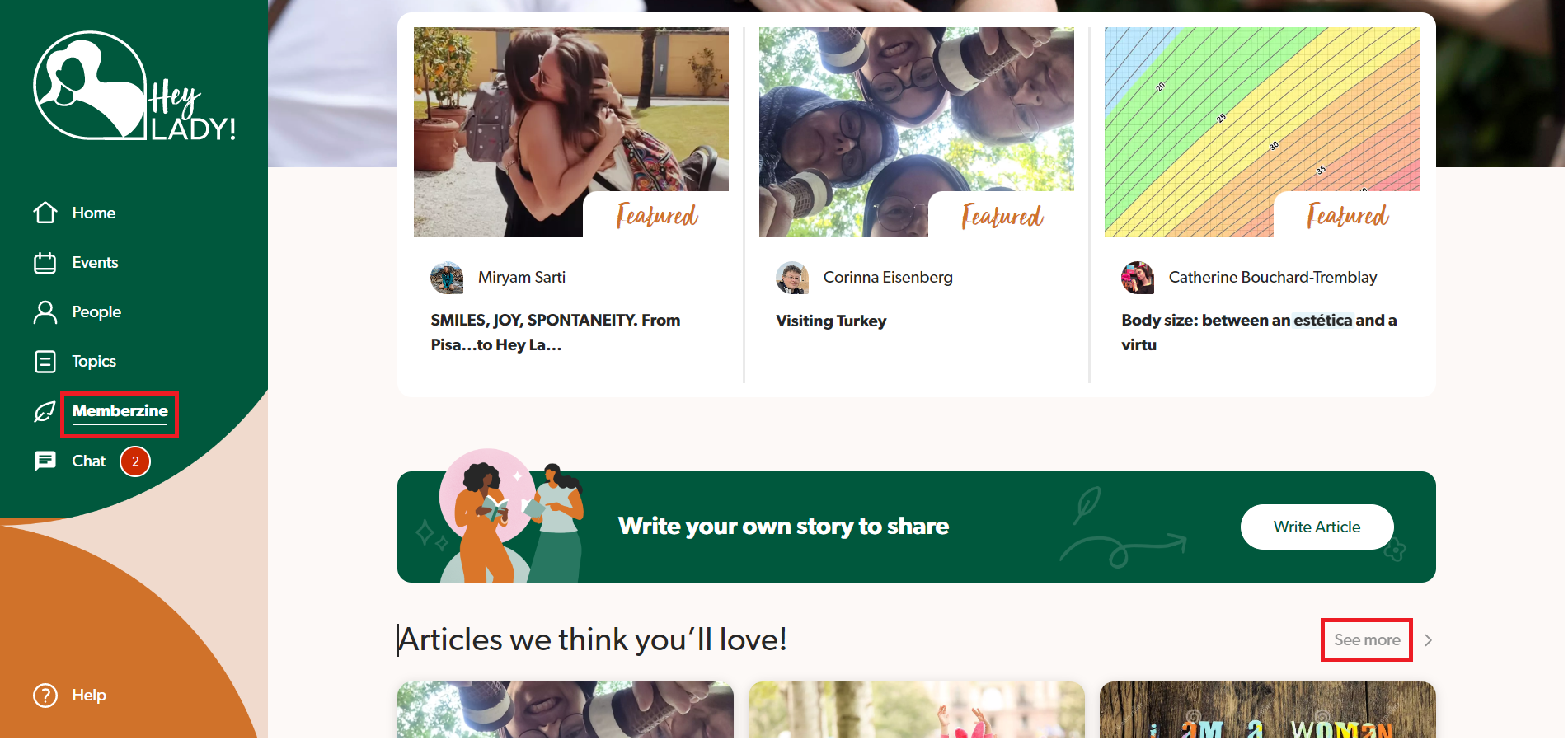
- Go to the Memberzine (from the left-hand side menu) and click See more.
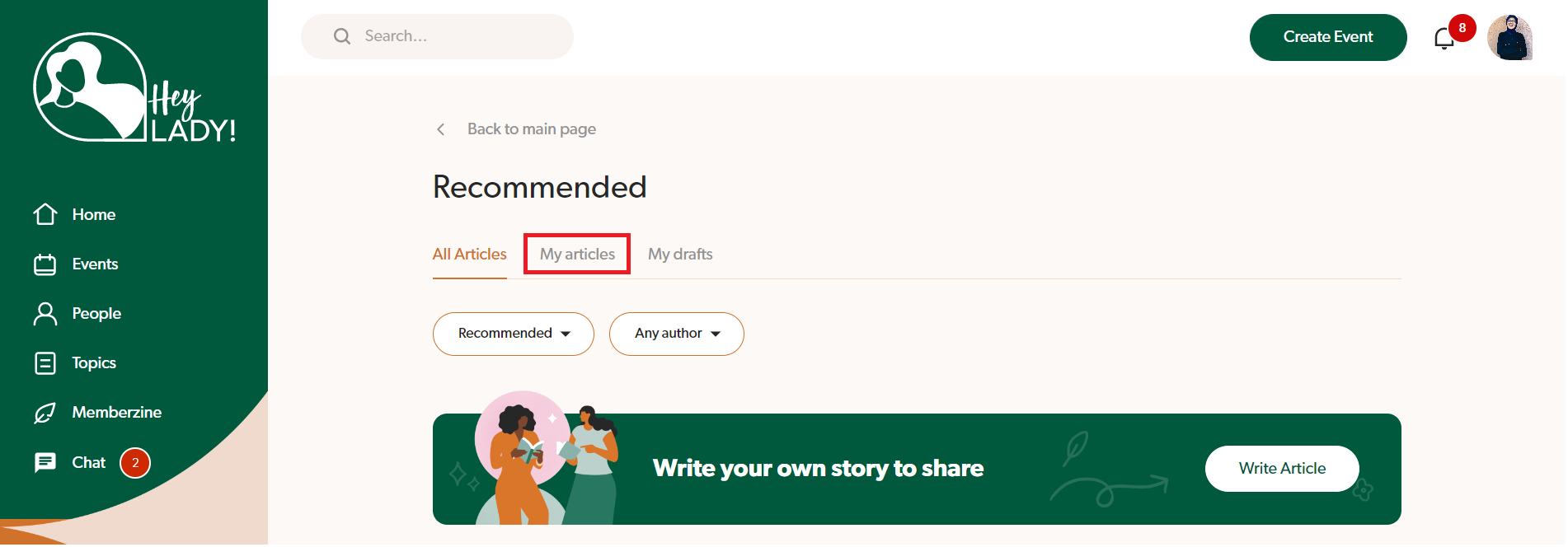
- Click My articles.
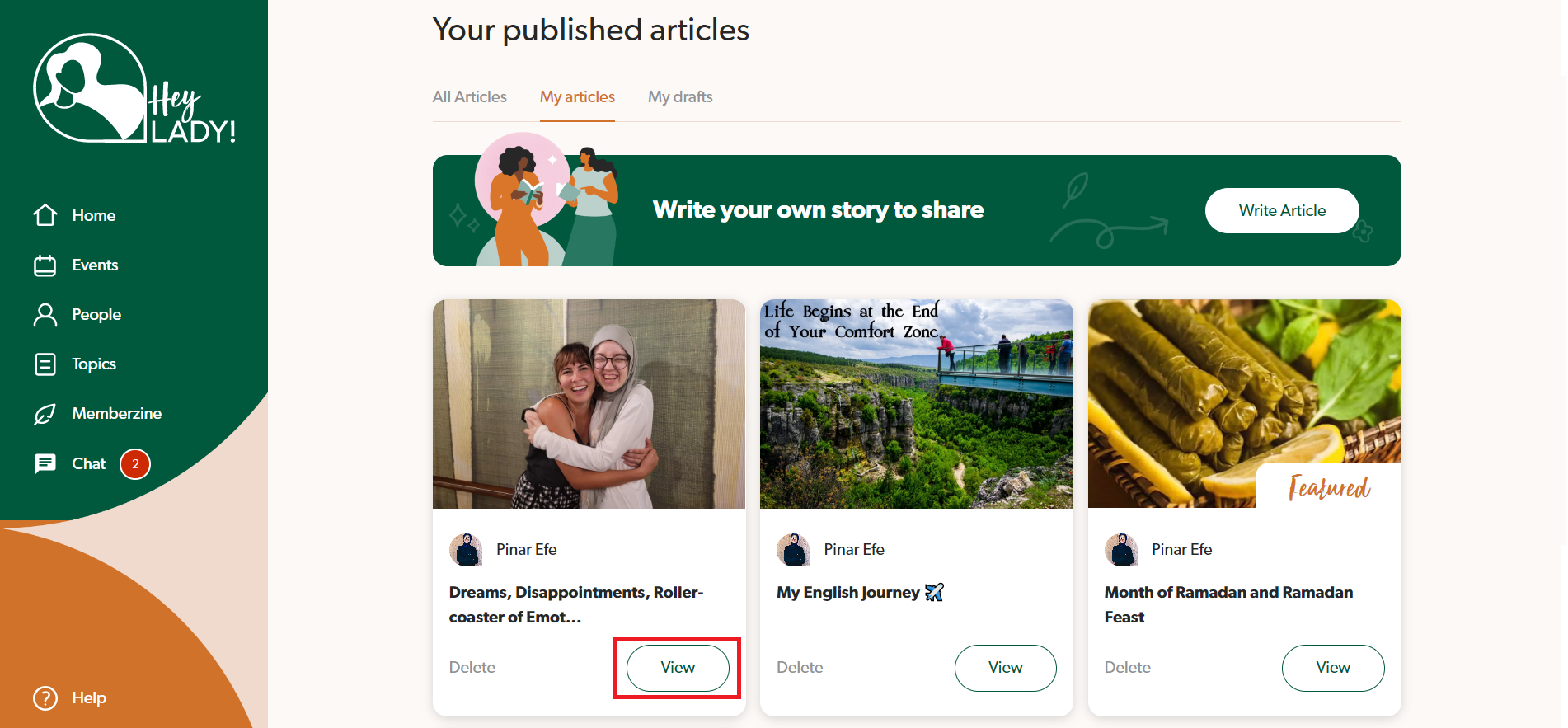
- Click View on the article that you want to edit.
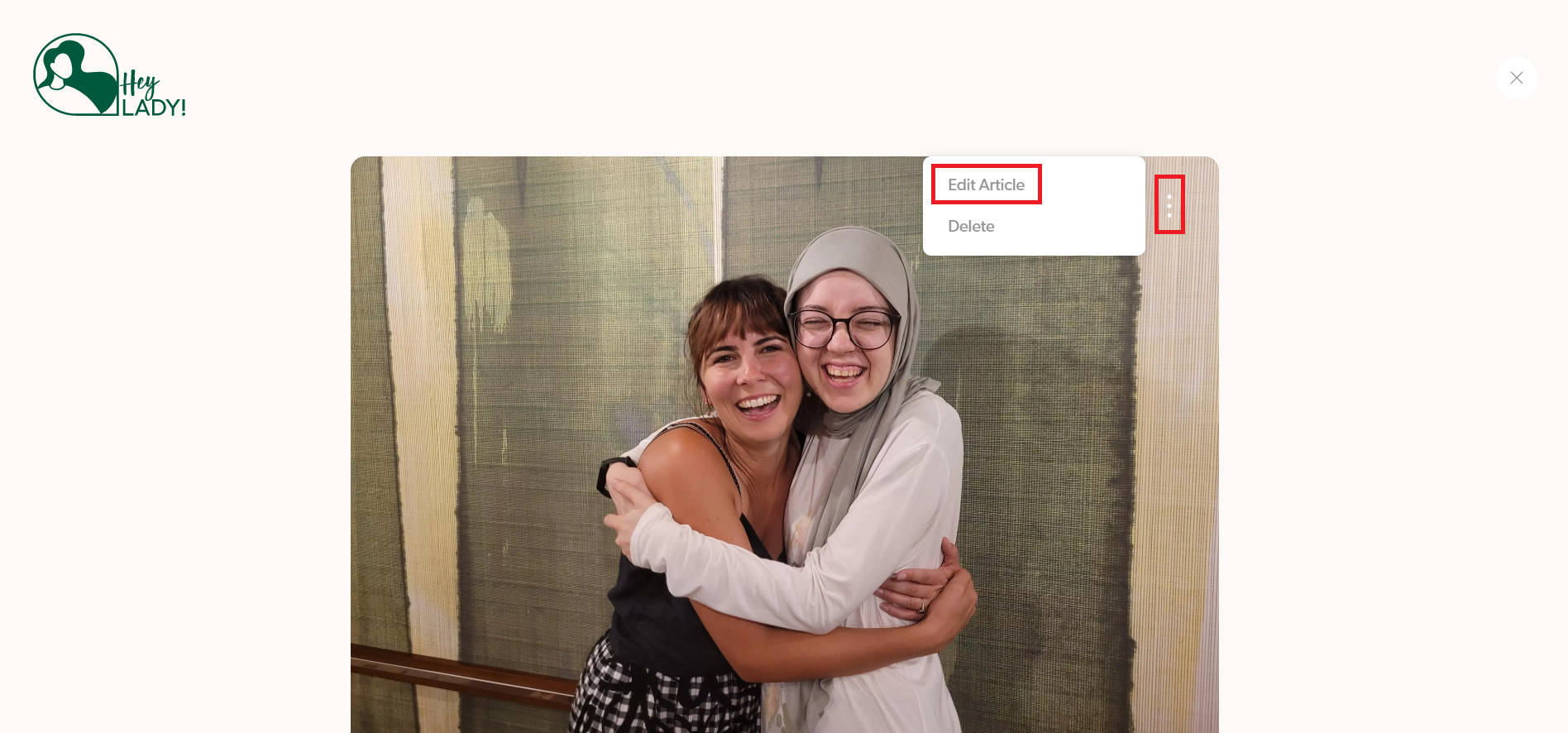
- Click the 3 dots on the cover image and then select Edit Article.
- Edit your article and then click Save at the bottom when done!

Updated on: 18/06/2026
Thank you!