
How do I mute someone (turn off their microphone) during my event?
How to have the best video experience inside Hey Lady! - helpful tips!
- Please use the most up-to-date version of Google Chrome to participate. You can download and install Google Chrome here.
- Connect to a stable network, preferably through an ethernet cable, especially if you are using an older device
Instructions on how to mute a participant during your Hey Lady! event
Note: This is only available if you are the host of an event.
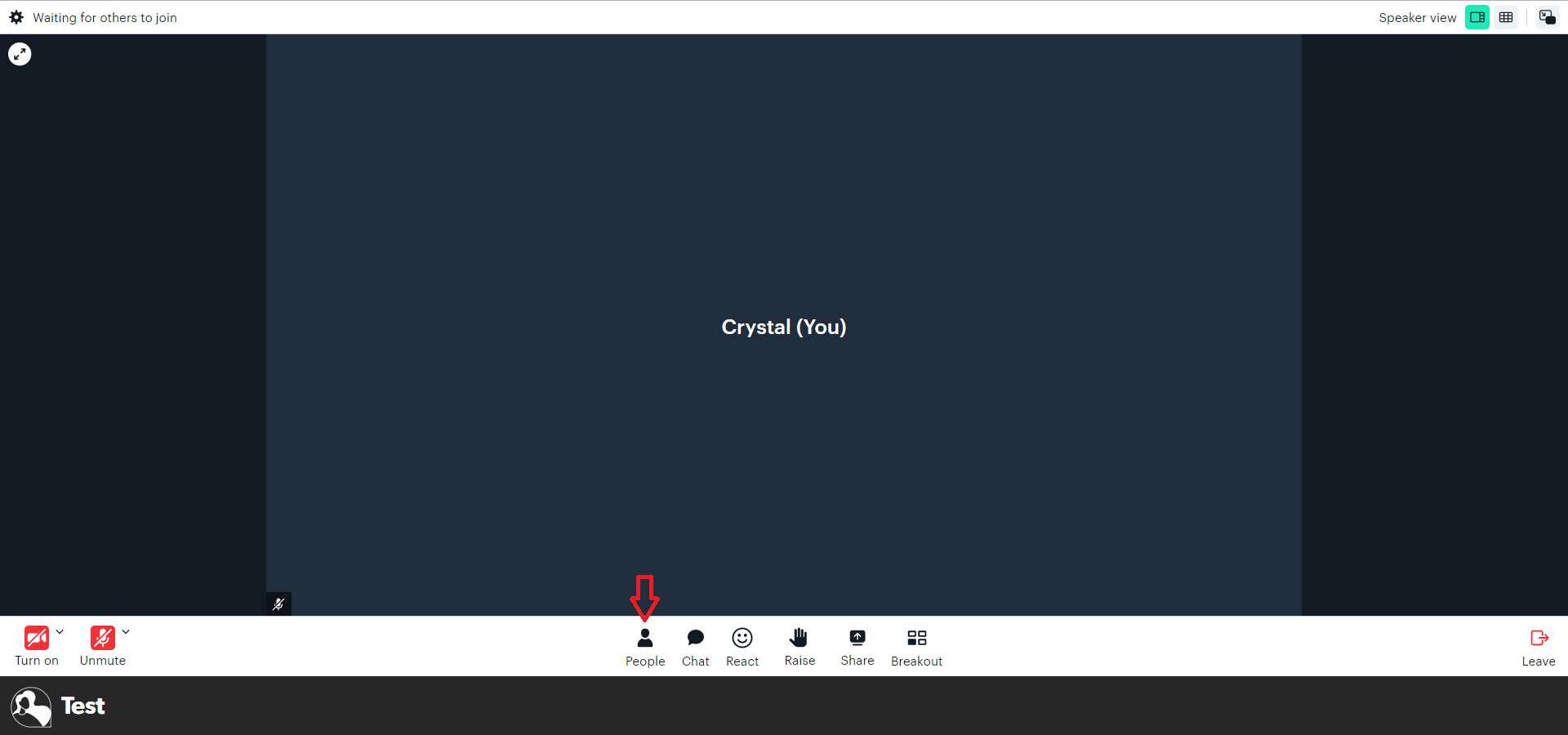
- While inside your event, click People at the bottom of the screen and your list of participants will appear on the right-hand side.
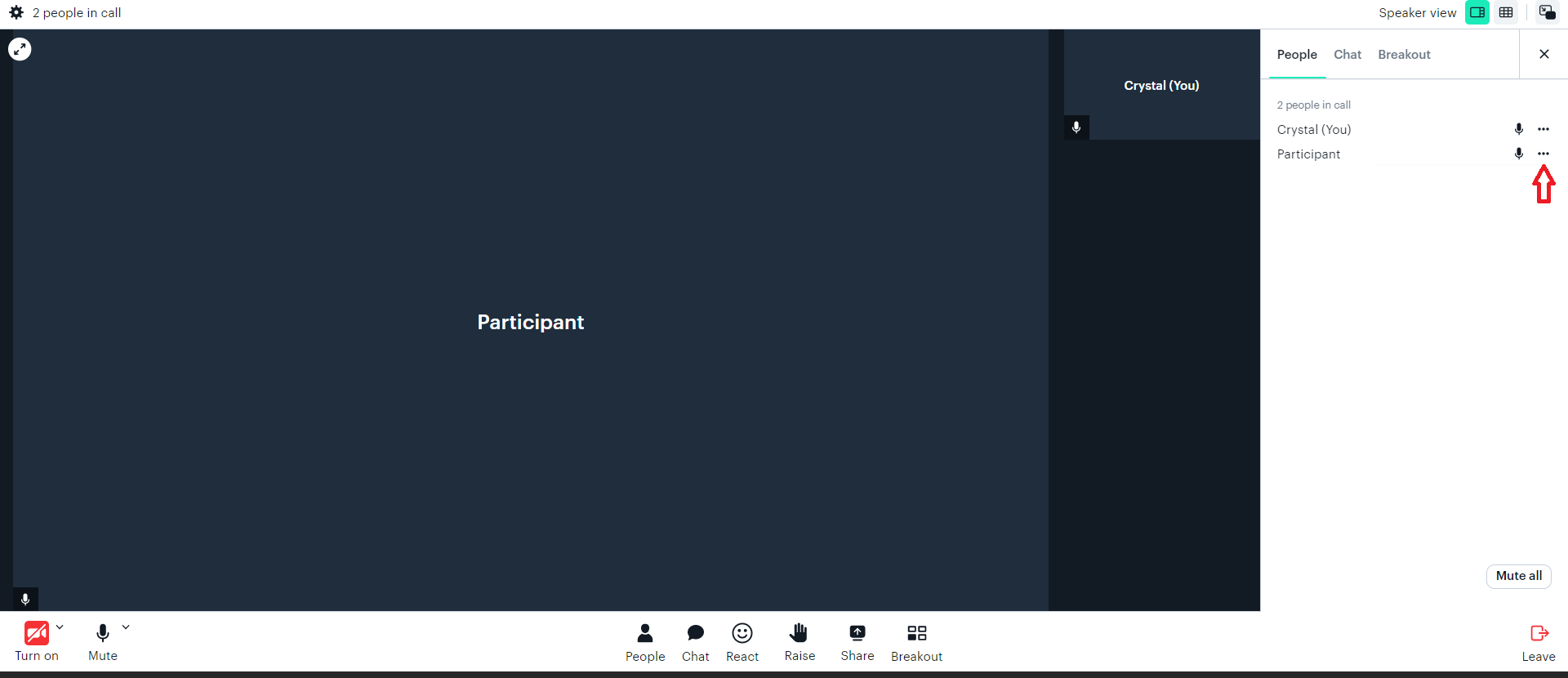
- Find the participant who you want to mute (turn off their microphone) and click the 3 dots next to their name.
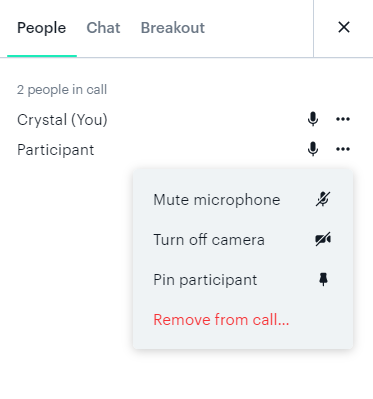
- A drop-down menu of options will then appear. Click Mute microphone.
Note: You cannot unmute a participant's microphone. They will need to do it themselves using their meeting controls.
You can also mute all participants at the bottom of the People tab.
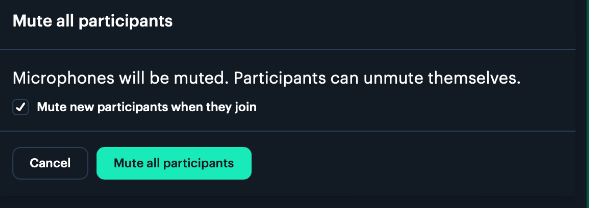
Tip: We recommend enabling "mute new participants when they join" so as ladies join your event, they don't interrupt you!
Updated on: 18/06/2026
Thank you!