
What are archived chats? How do I archive a chat?
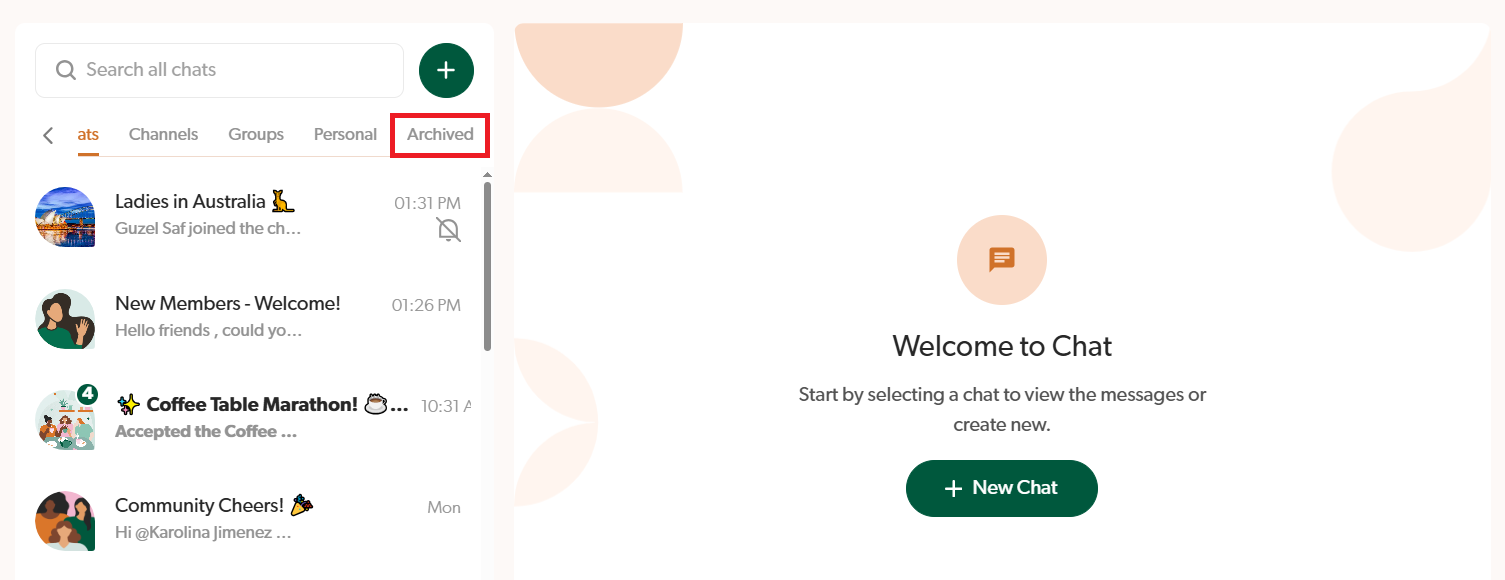
When you archive a chat (personal, group or public channel), it is removed from the main Chat section and moved into the Archived section. It's a way of organising your chats and only keeping the ones you want to easily see!
If you Archive a group chat or public channel, it is only archived for you and not the other members in it! It is not deleted and other ladies can still participate and send messages to the chat. If you want to delete a chat and remove it so that no one can see it anymore, please follow these instructions instead.
Note: Archived chats can also be unarchived at any time and moved back to your main Chat section.
How to archive a chat
- Go to Chat and find the chat/group/channel.
- Click the 3 dots.
- Click Archive.
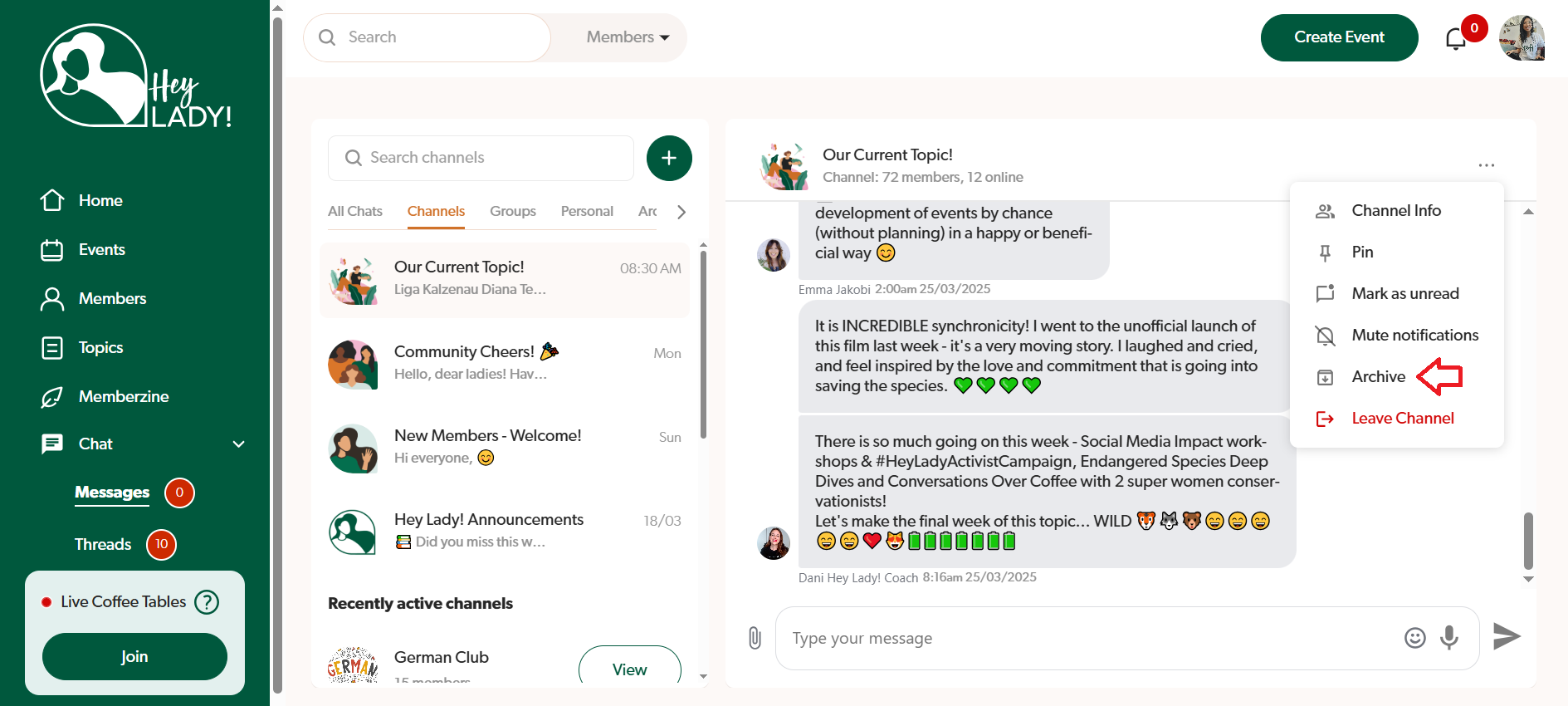
- The chat will now be in the Archived section!
How to unarchive a chat
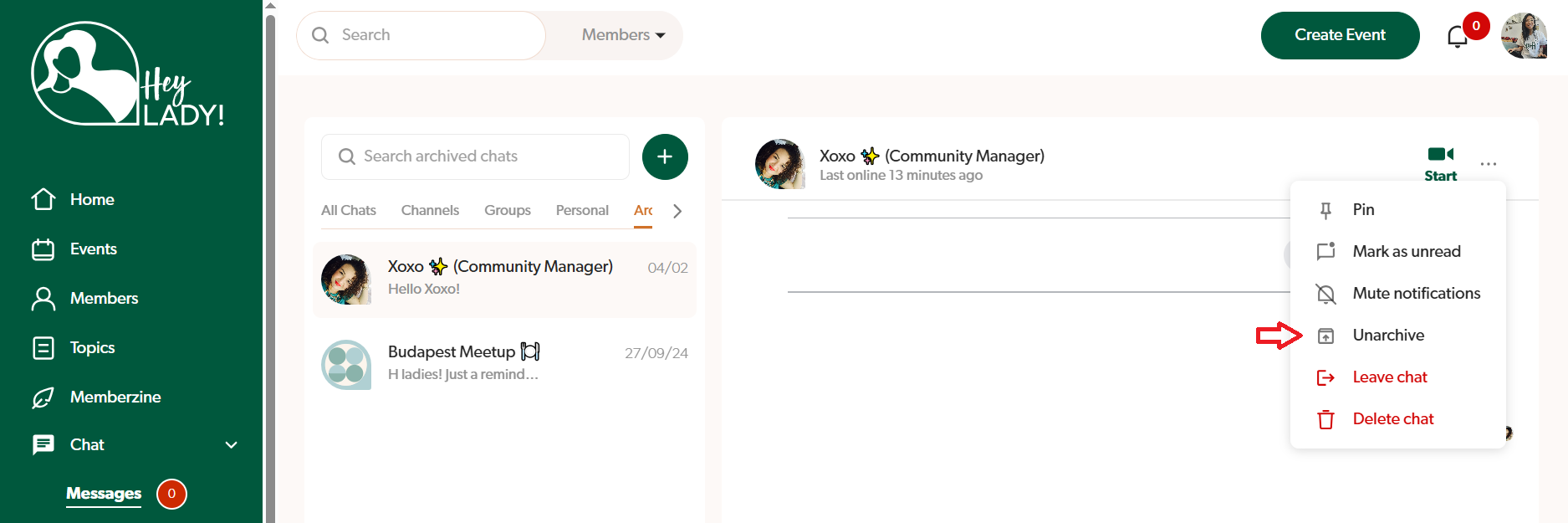
- Go to Chat and the Archived section. Find the archived chat/group/channel.
- Click the 3 dots.
- Click Unarchive.
- The chat will now be back in the main Chat!
Updated on: 17/06/2026
Thank you!