
How do I cancel my membership?
Instructions on how to cancel your Hey Lady! membership
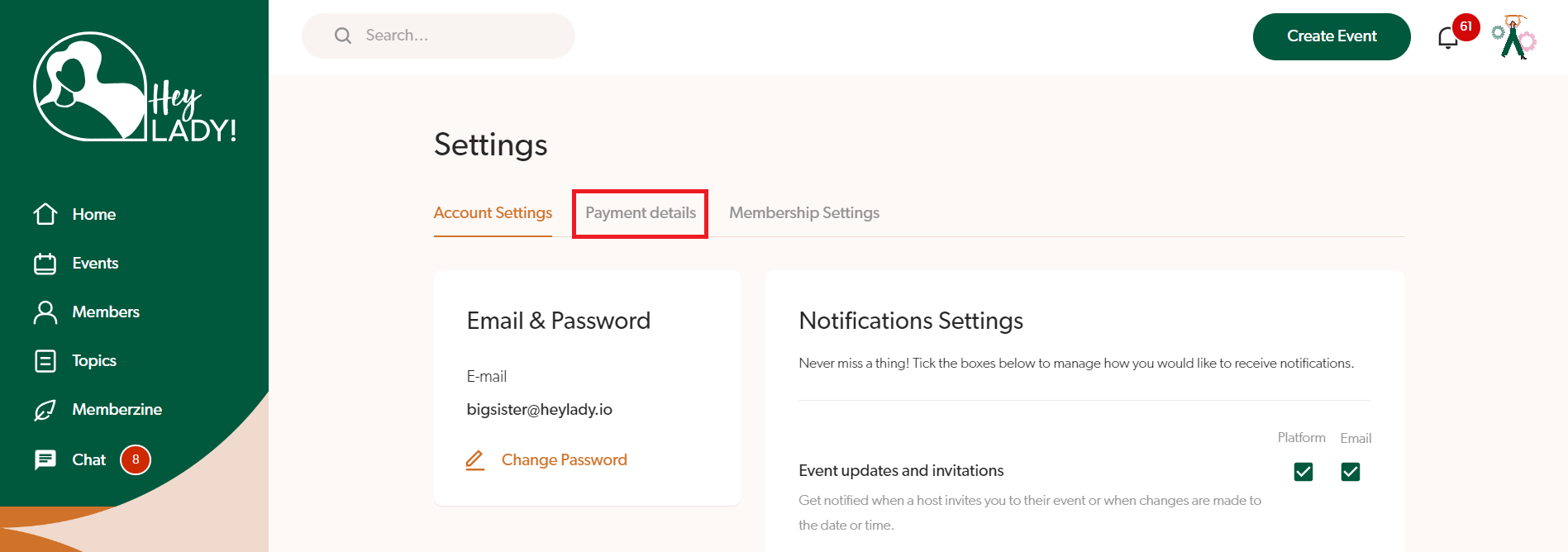
- Go to your profile photo in the top right corner and click Settings
- Click Payment details
- Click Cancel membership
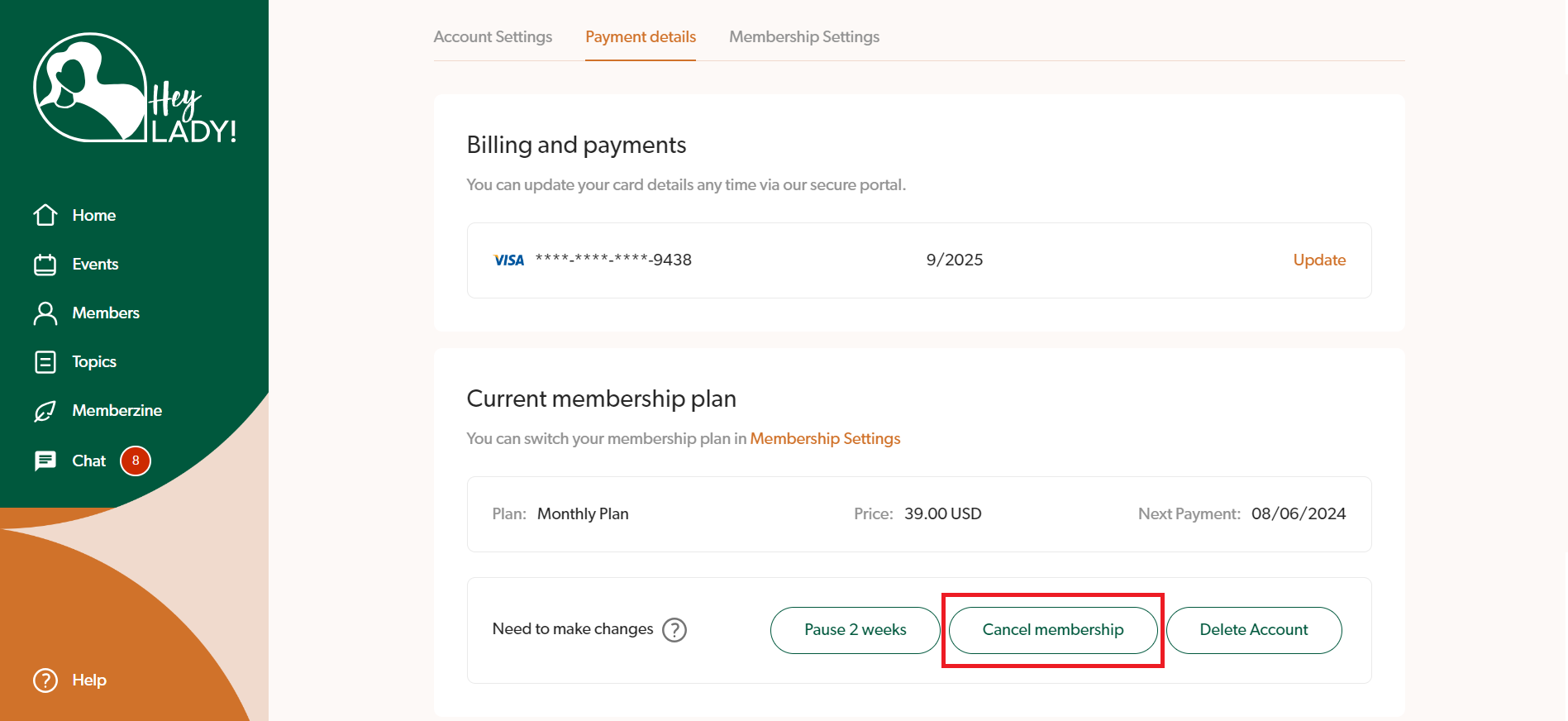
- Proceed with the steps on the page to complete your cancellation. You will have access to the platform until the end of your billing period (no refunds are provided)
Note: Cancelling means you're leaving the community.
Your subscription stays active until the end of your current billing period. After that, your account enters a 30-day recovery period. If you don't reactivate during that time, your account history will be permanently deleted and you'll need to start again if you return in the future.
💛 Not ready to leave? Consider pausing instead
If you’re feeling busy, overwhelmed, or just need a short break - you don’t have to cancel your membership completely.
You can pause your membership for up to 6 weeks and keep your profile, connections, and progress saved for when you’re ready to return. Plus, while paused, you can still log in and message friends, receive invitations and stay updated with what's happening in the community!
To pause your membership, simply follow the instructions here.
We’d love to welcome you back when the time feels right 💛
Updated on: 23/07/2026
Thank you!