
How do I update my payment or credit card details?
You can update your credit card details in the Payment Details section here.
Instructions on how to change your credit card details
- Go to your profile photo at the top right corner and click Settings.

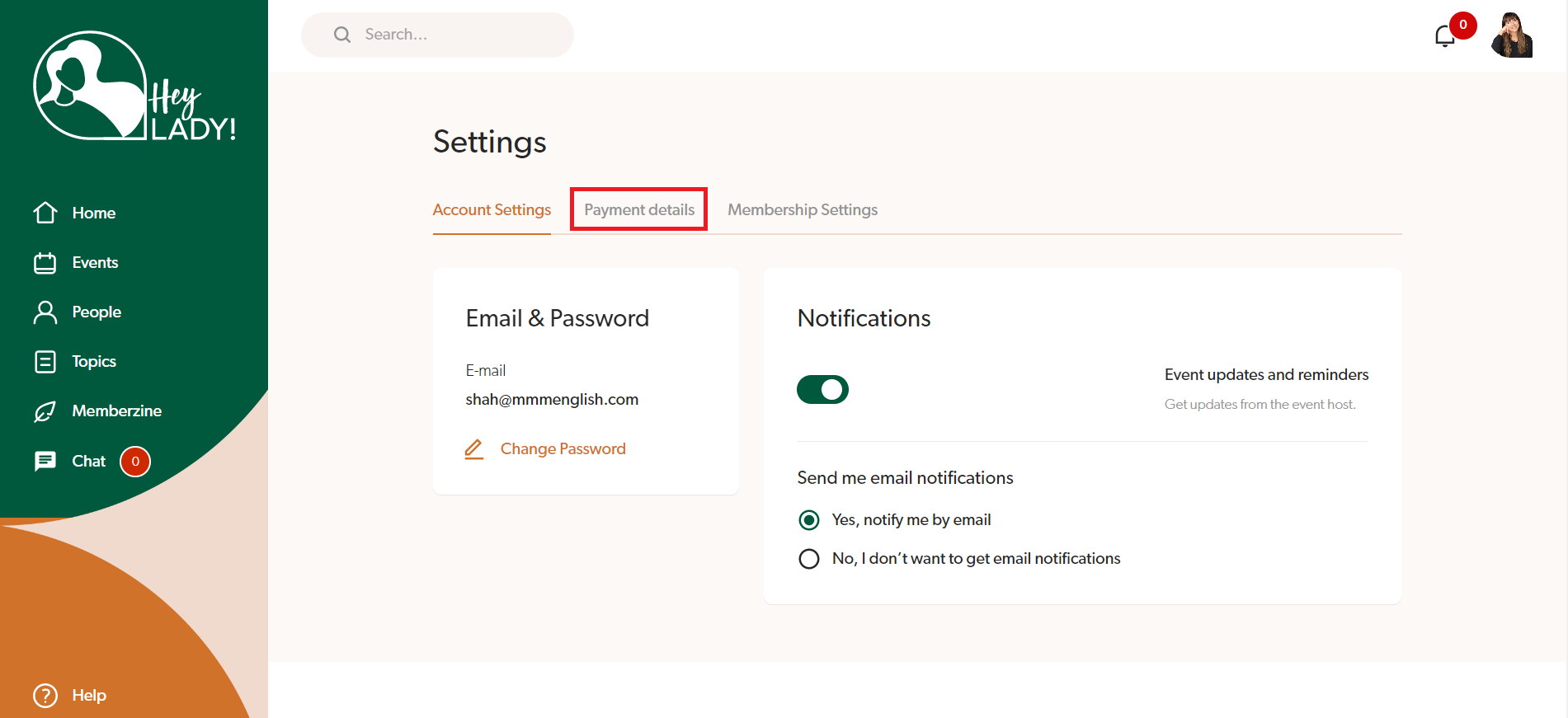
- Click Payment details.
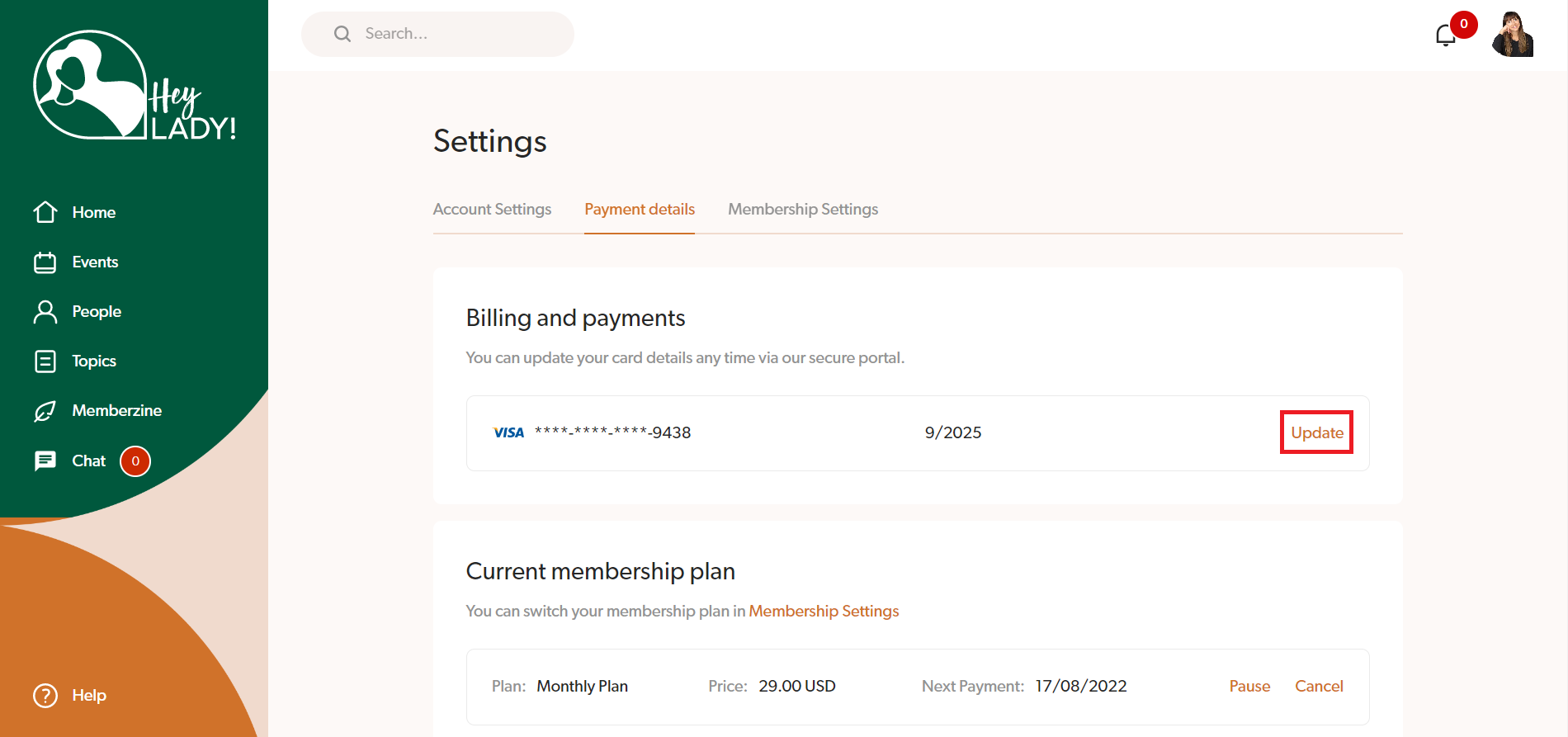
- Click Update under Billing and Payments.
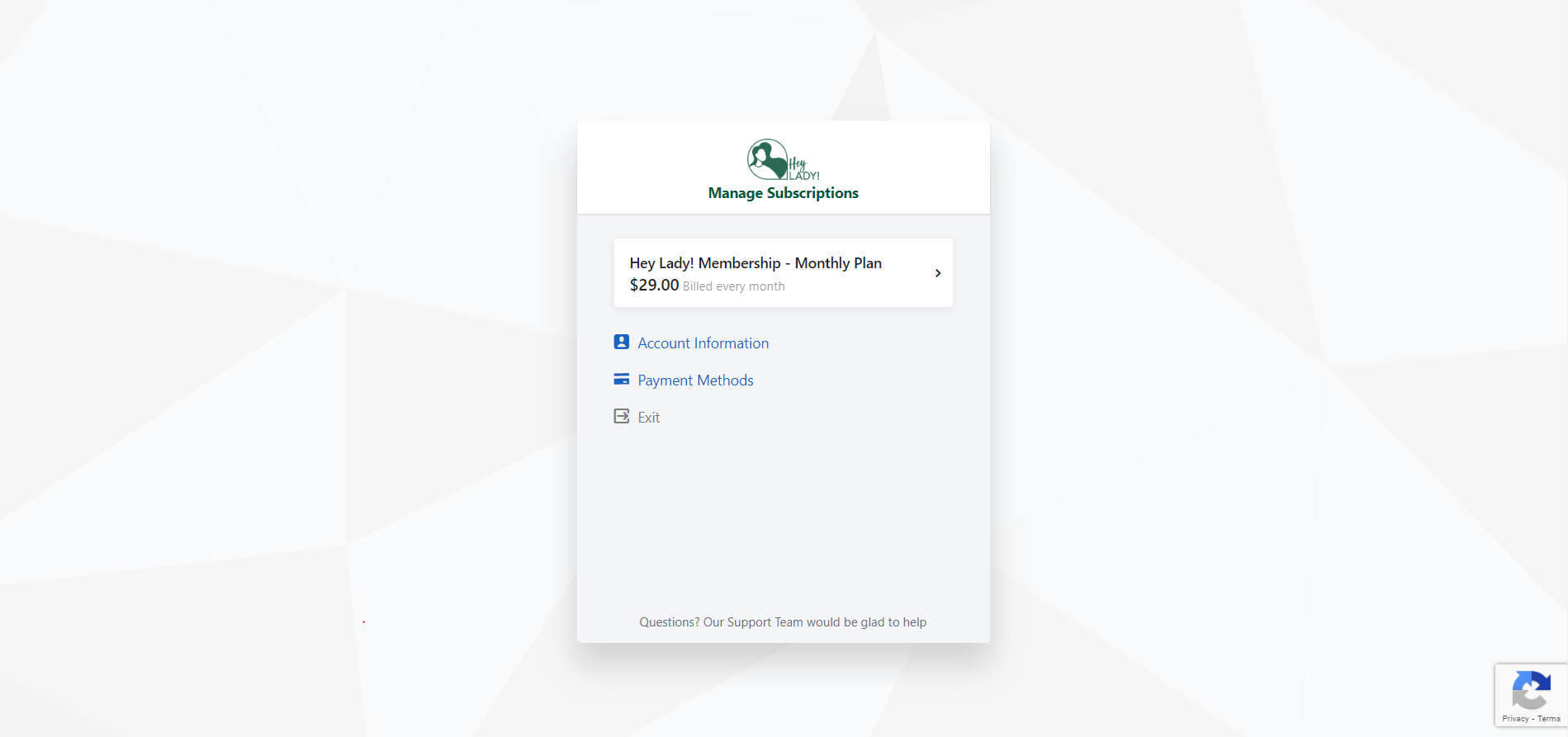
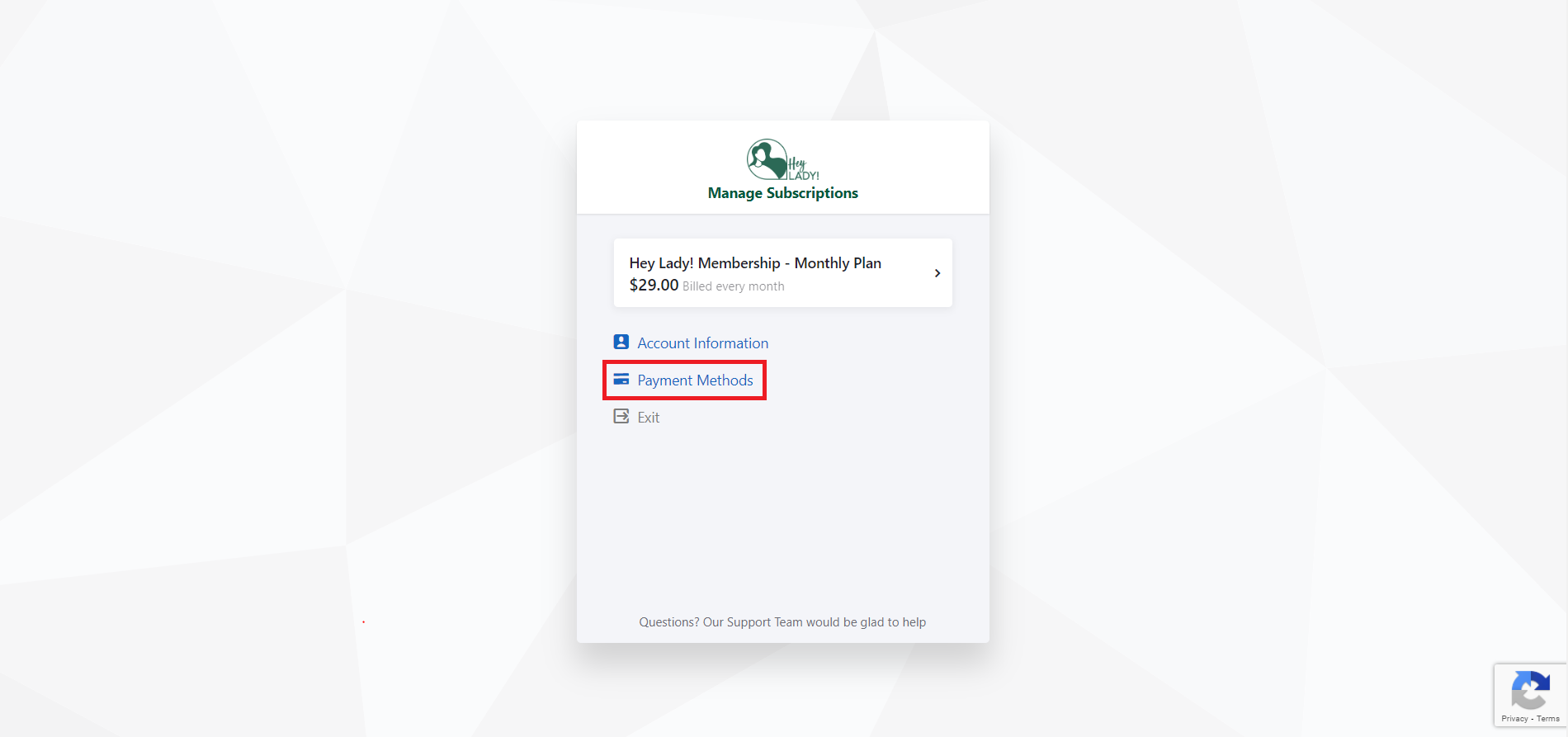
- You will be taken to a page that looks like this:
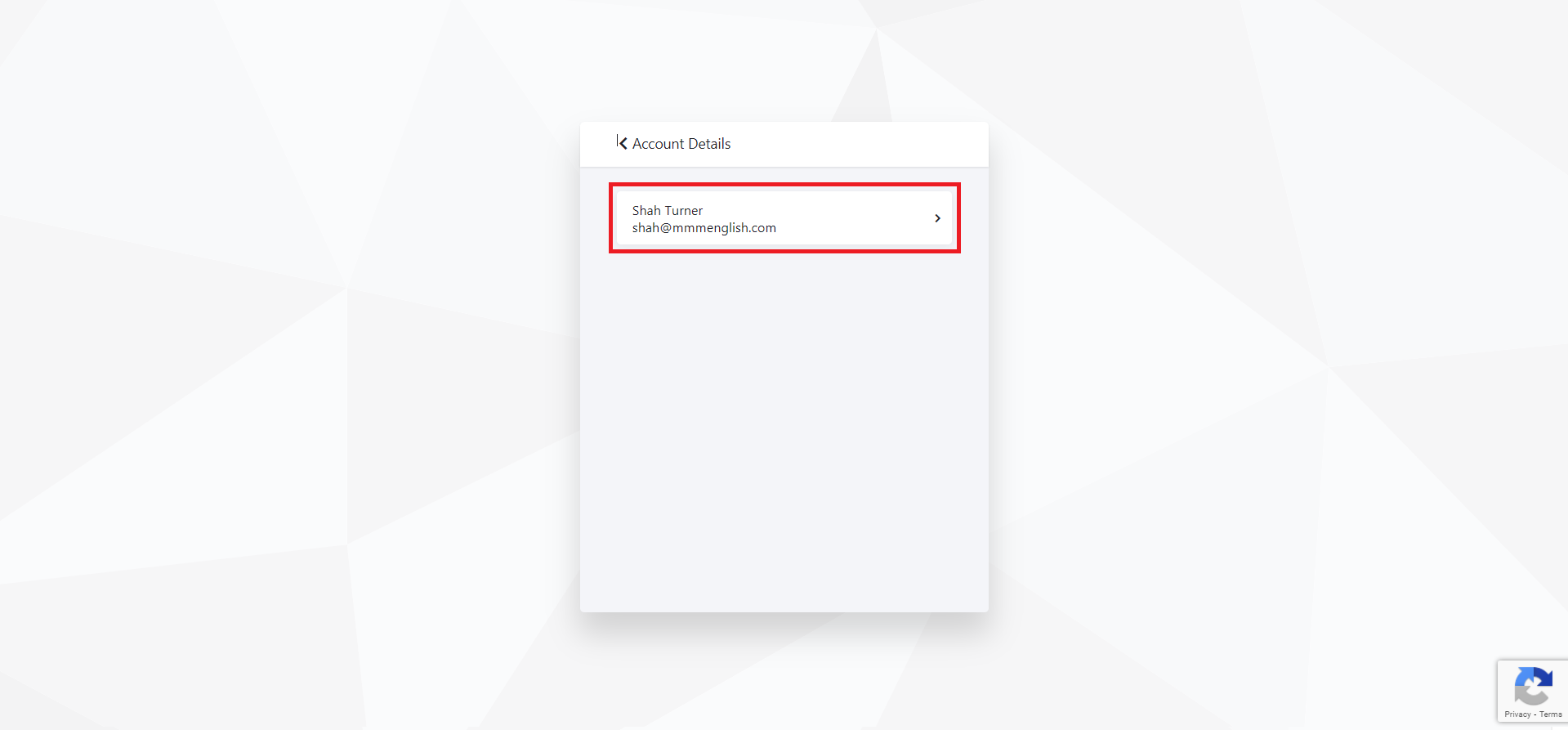
- To update your Account Information (name and email address for the billing), select Account Information.
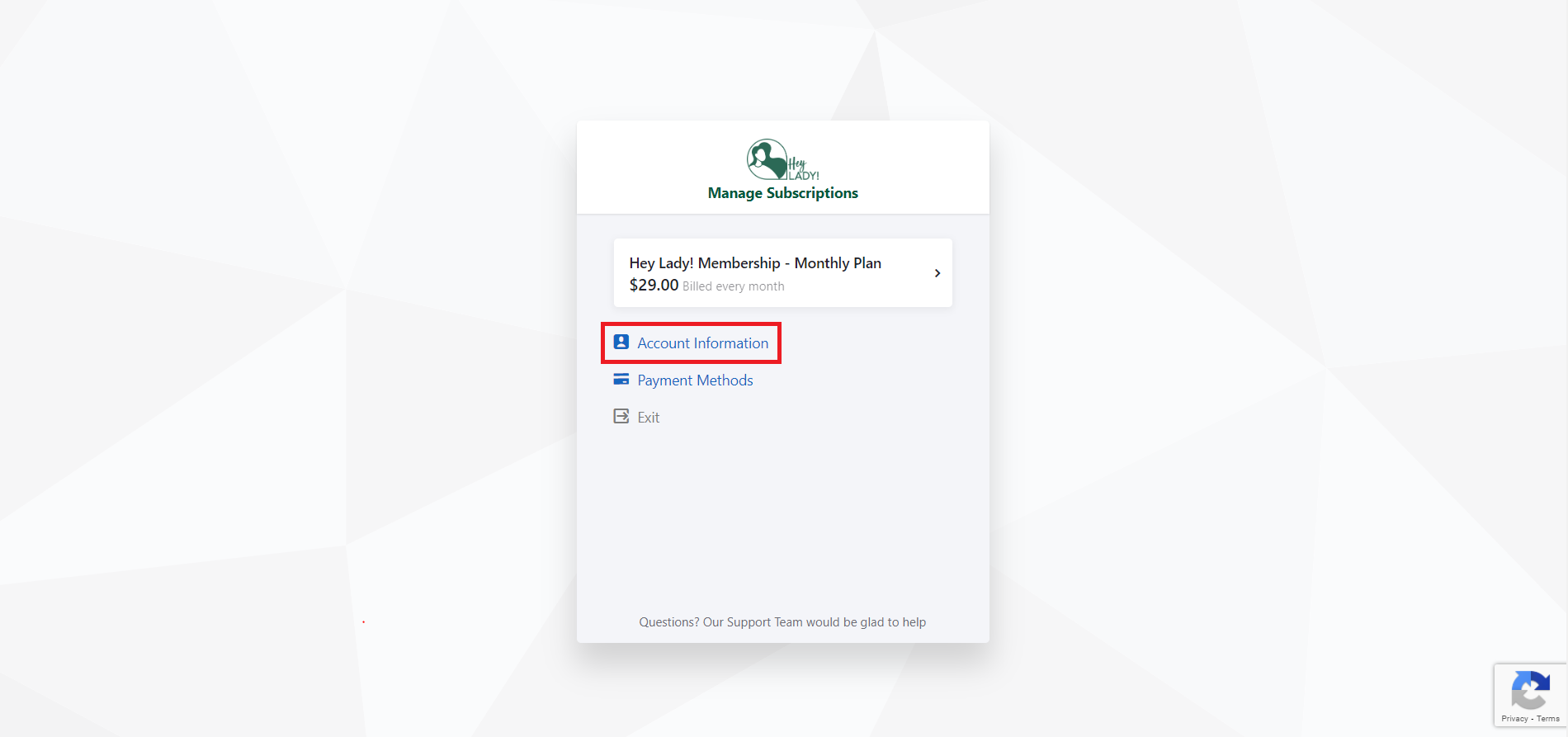
- Select your account details already on file.
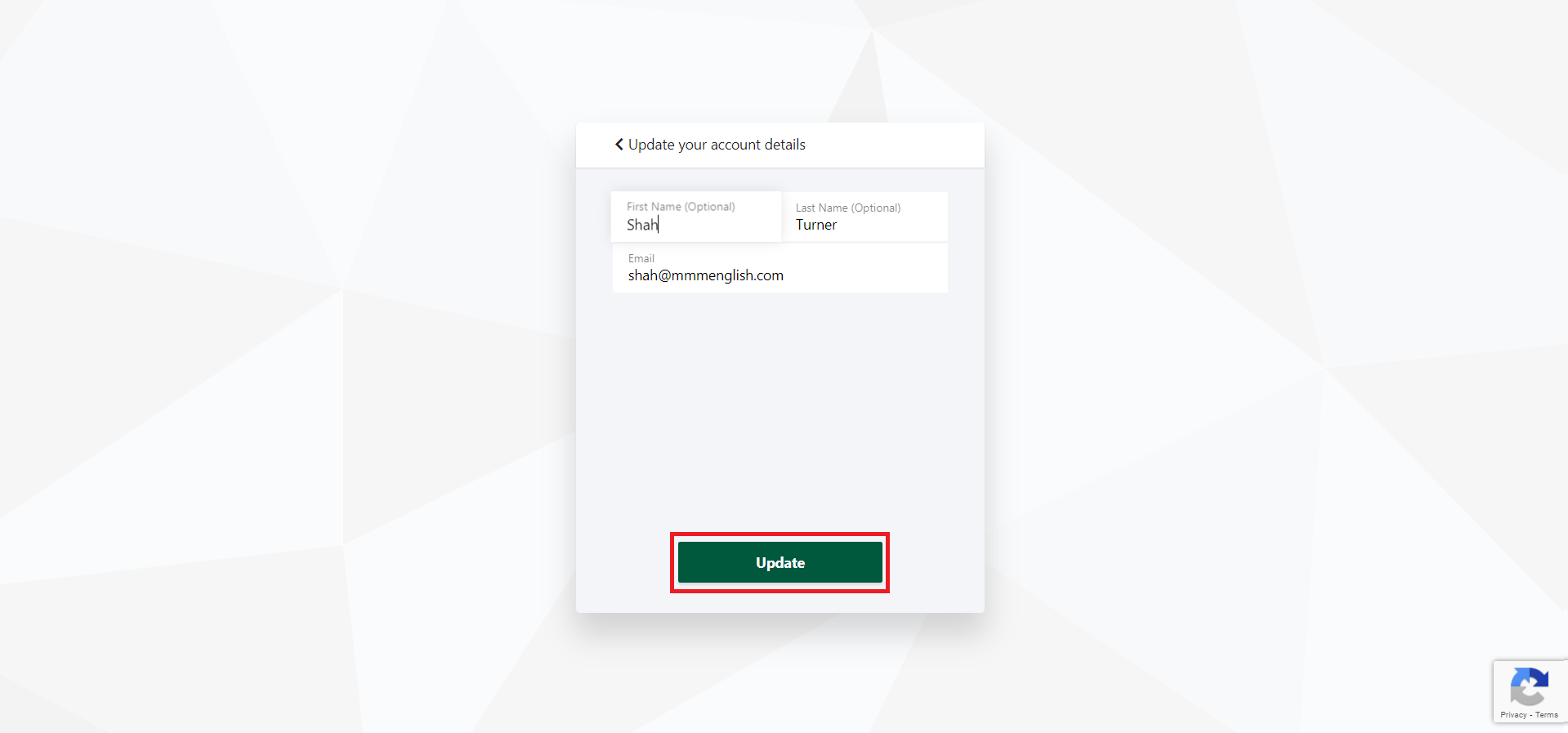
- Update your name and email address and click Update.
- To update your credit card details, return to the main Manage Subscriptions page and select Payment Methods.
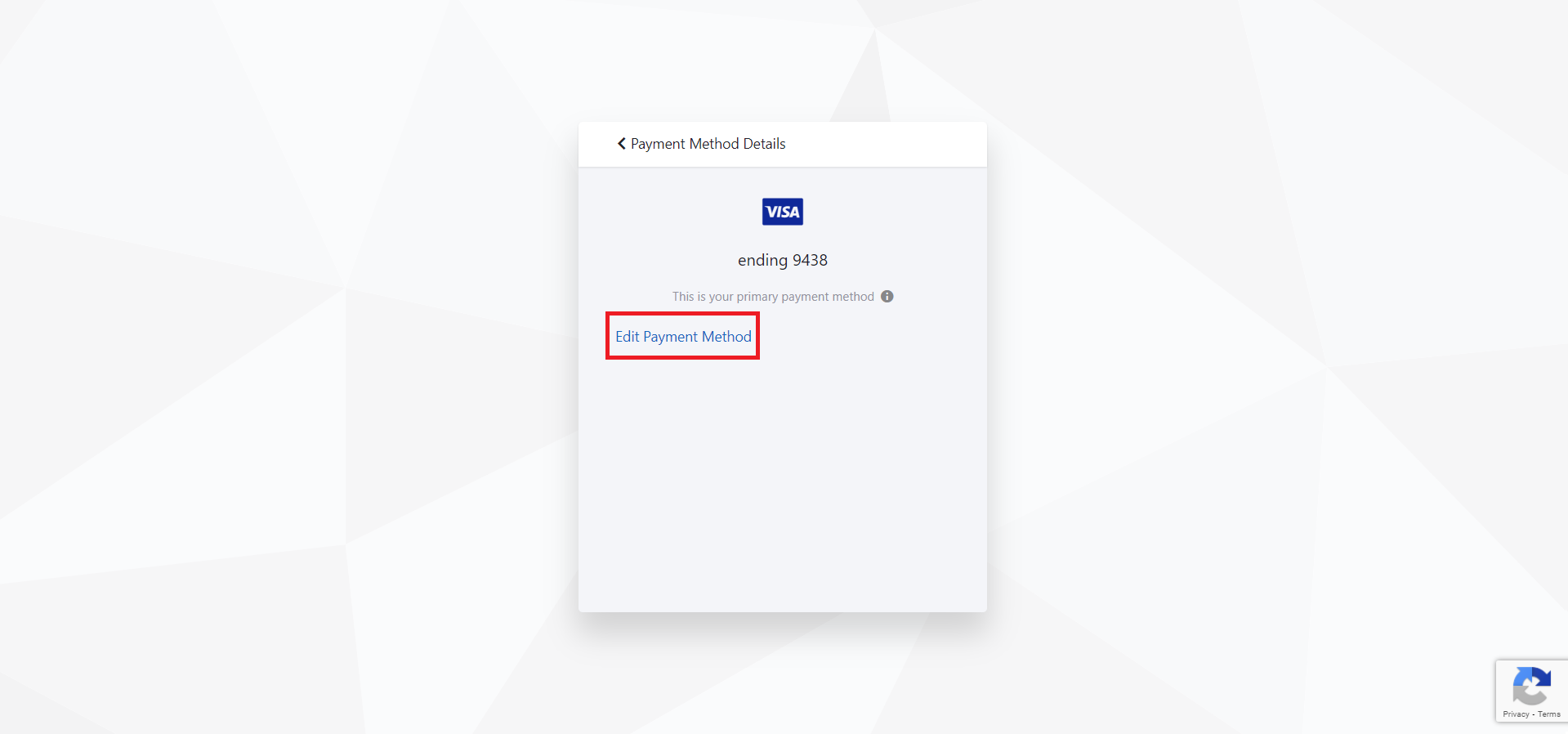
- Here is where you can also see and remove any expired cards on file. Click the current Payment Method available on file.
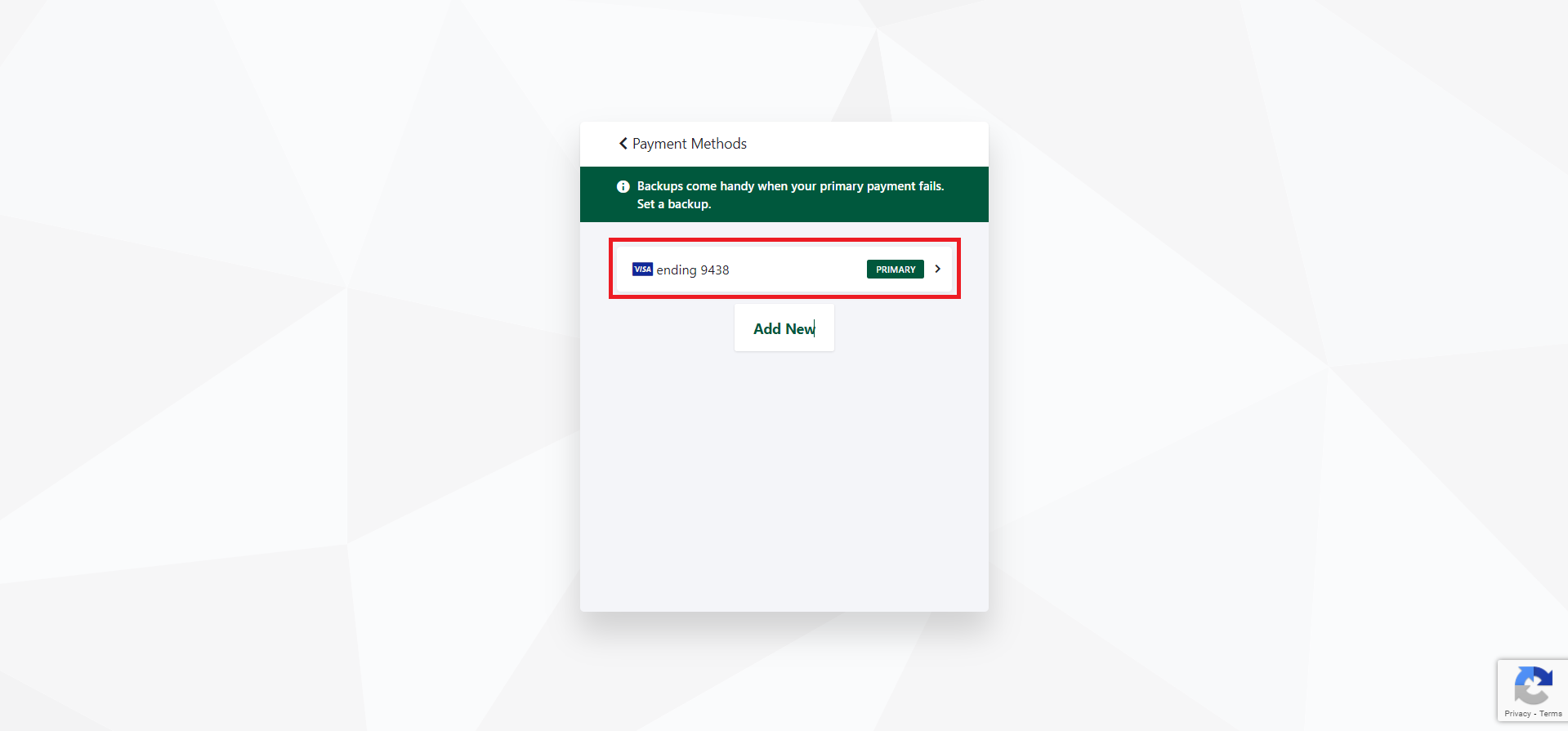
- Click Edit Payment Method.
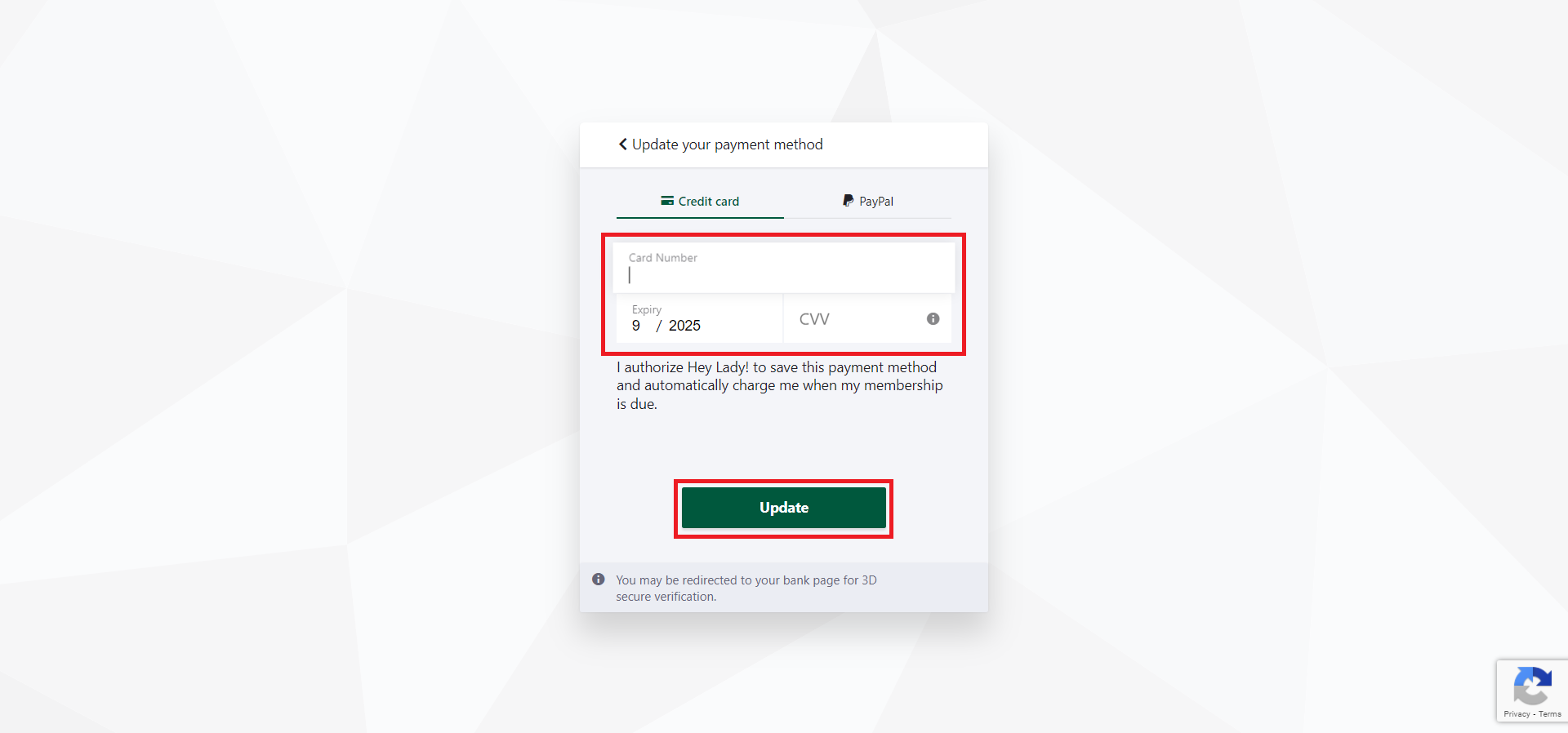
- Add your new credit card details and click Update. Your next renewal will now be taken from this new credit card.
Updated on: 18/06/2026
Thank you!