
How do I change my profile photo?
Hey Lady! is about connecting with other women around the world and creating real and meaningful friendships so we believe it's really important to have a clear profile photo so other members can easily recognise, connect and trust each other!
Instructions on how to change your profile photo inside Hey Lady!
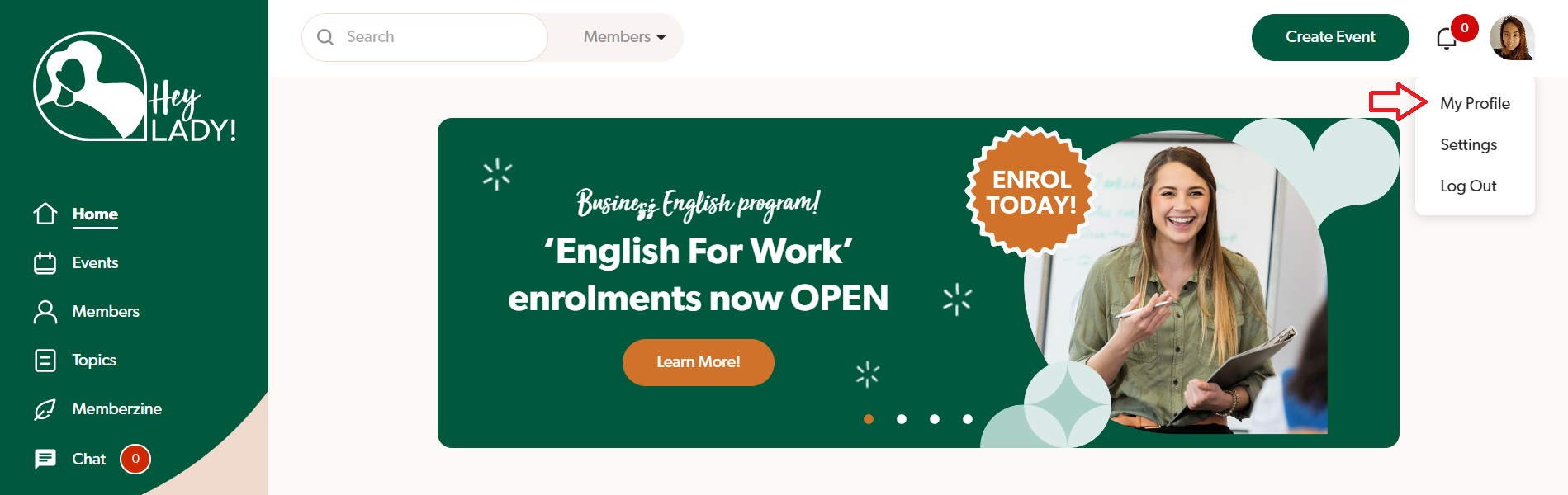
- Go to your profile photo on the top right corner and click My Profile.
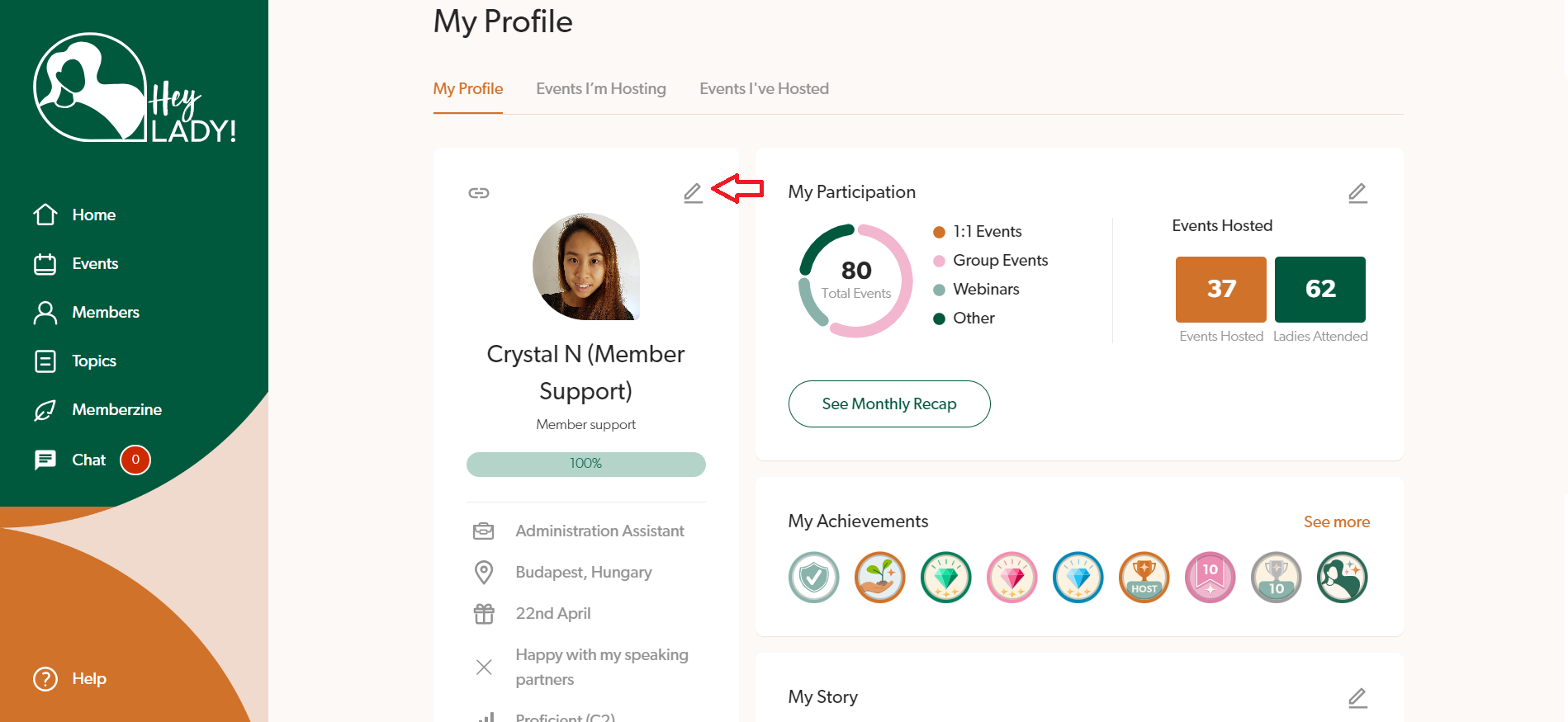
- Click the pencil icon next to your current profile photo.
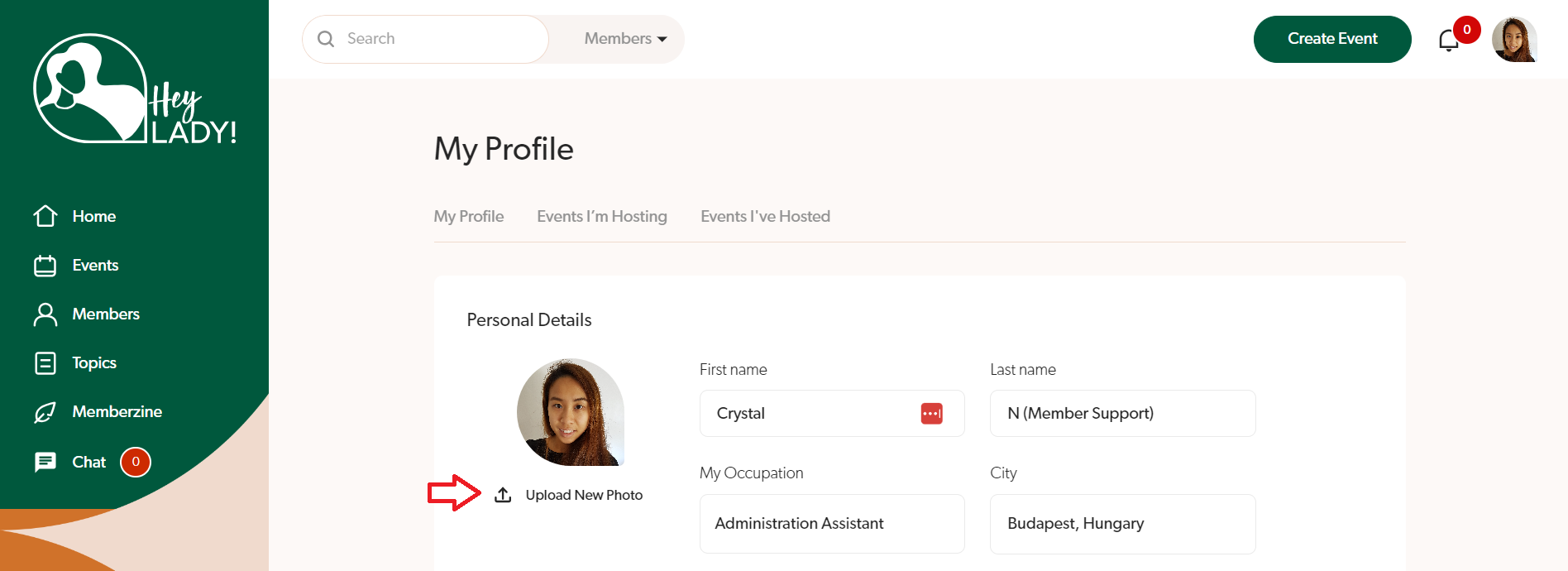
- Click Upload New Photo and select the photo file (JPG or PNG) from your computer.
- Click Save changes when done!
Updated on: 05/10/2026
Thank you!