
How do I turn on or off email and platform notifications?
Notifications help you stay connected and never miss out on what’s happening in the Hey Lady! community. You can receive notifications two ways:
- In the platform: Updates will appear in your Notifications section
(click this bell icon on the top right corner of the platform to find them)

- By email: Important updates, reminders, and messages can be sent to your inbox.
What are the different types of notifications I can receive inside Hey Lady!?
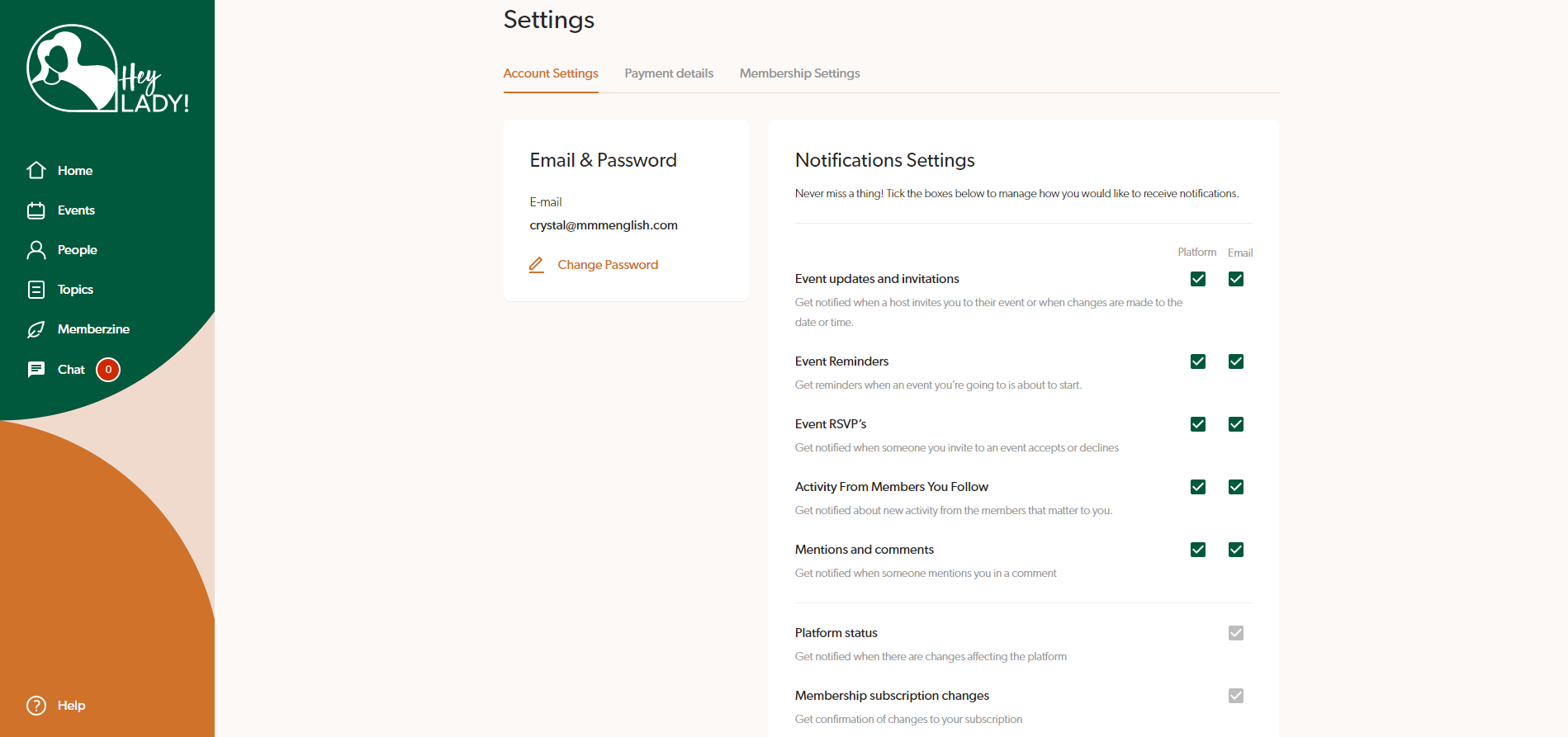
Event updates and invitations
Get notified when a host invites you to their event or when changes are made to the date or time.
Event Reminders
Get reminders when an event you’re going to is about to start
Event RSVP’s
Get notified when someone you invite to an event accepts or declines
Activity From Members You Follow
Get notified about new activity from the members that matter to you
Mentions and comments
Get notified when someone mentions you in a comment
Mentions in chat
Get notified when someone mentions you in a chat group message
Unread messages in thread
Get notified when you have an unread message in a chat thread
Live Table has started
Get notified when someone has started a new live table
Platform status
Get notified when there are changes affecting the platform
Membership subscription changes
Get confirmation of changes to your subscription
Instructions on how to enable or disable notifications inside Hey Lady!
You have control over the notifications you receive and can turn them on or off by going to your Account Settings.
Note: Email notifications regarding Platform status and Membership subscription changes cannot be disabled.
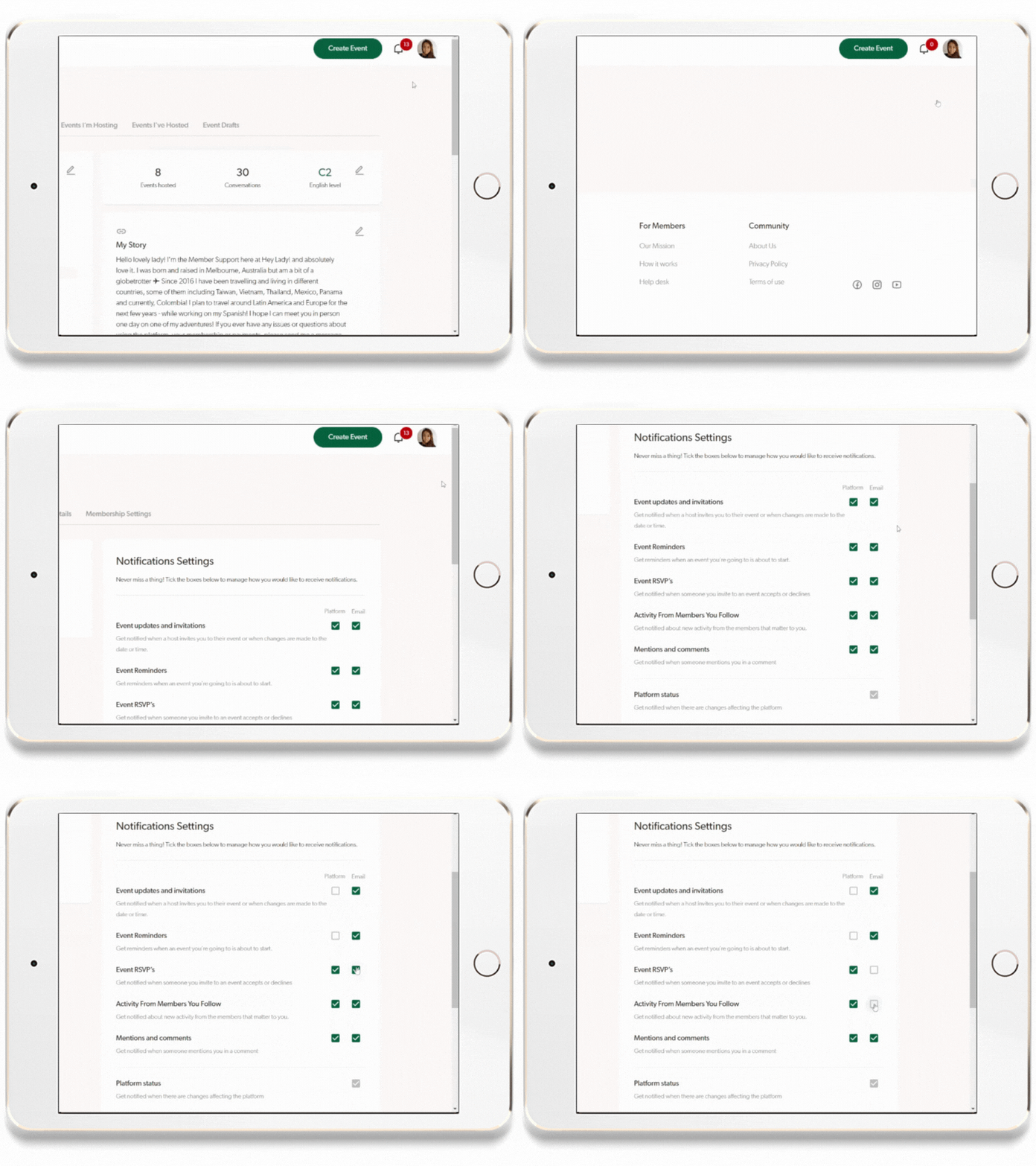
- Go to your profile photo in the top right corner and click Settings.
- On the Account Settings page, choose which types of notifications you want to receive by ticking the relevant checkboxes
Updated on: 18/06/2026
Thank you!