
How do I update my location in my profile?
Instructions on how to update your location in your Hey Lady! profile
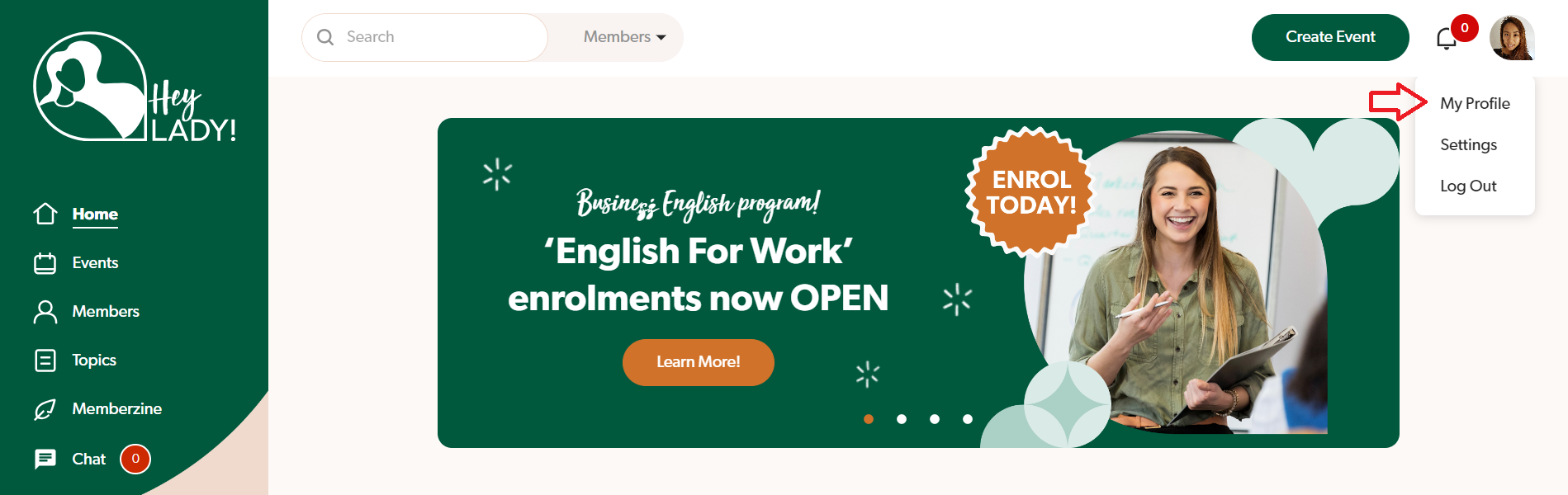
- Go to your profile photo at the top right corner and click My Profile.
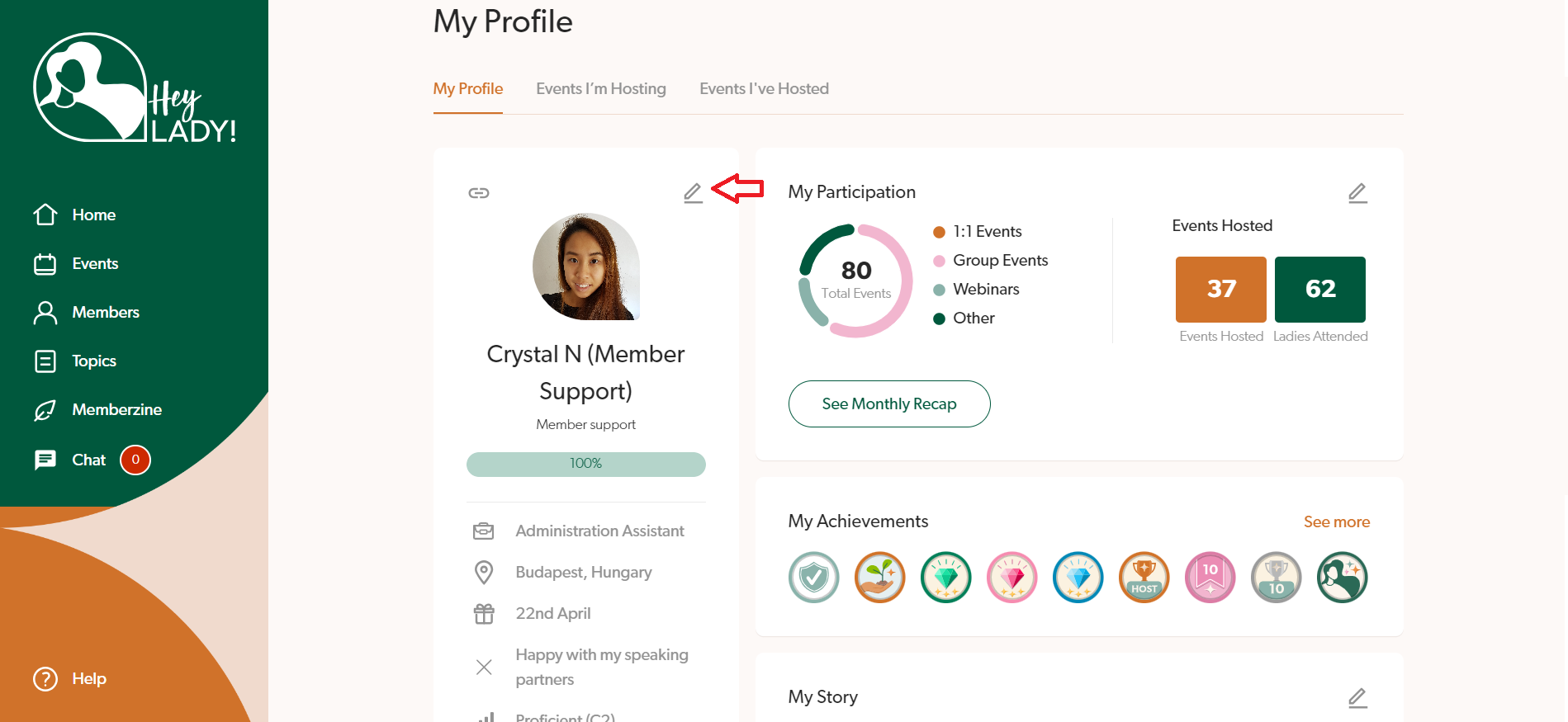
- Click the pencil icon next to your profile photo.
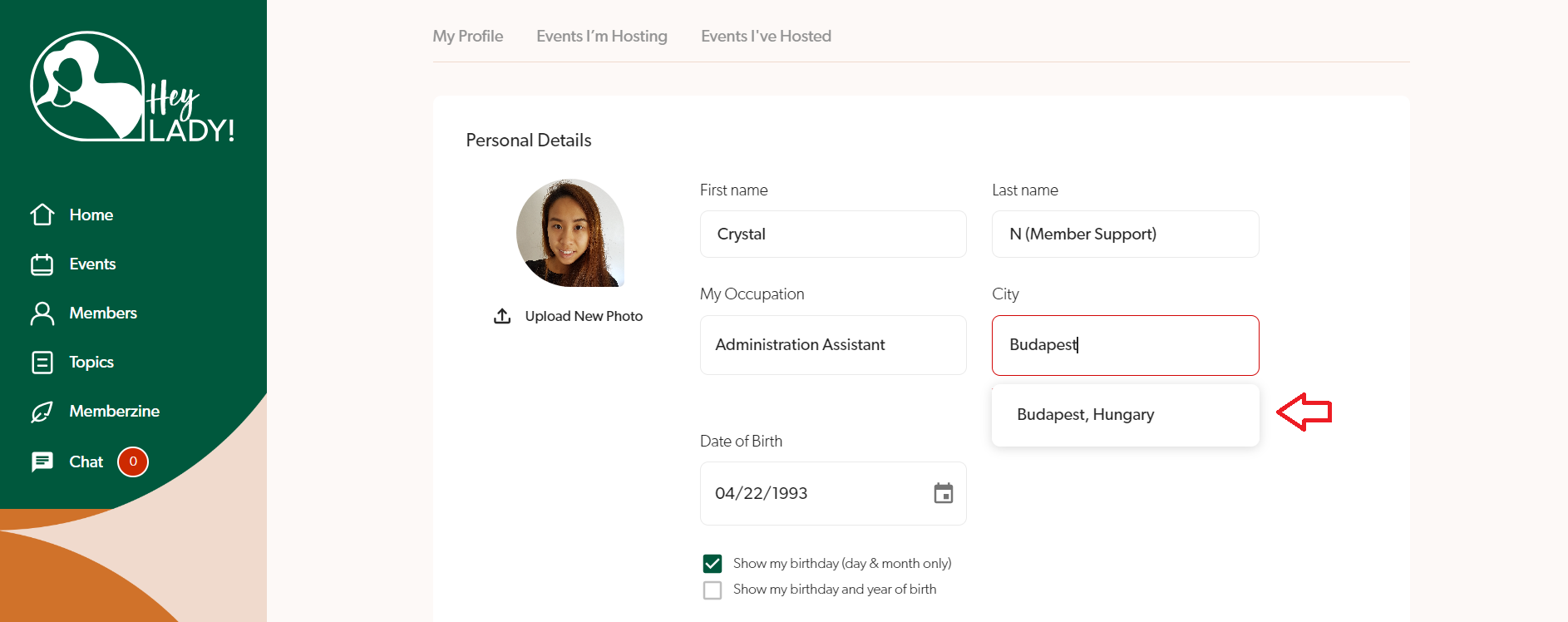
- In the location field, type your city first, and then a dropdown of options will appear below. If you still cannot find your city, type your country as well to be more specific. Find and select your city and country.
- Click Save changes.
Updated on: 18/06/2026
Thank you!