
How do I update my profile? How do I edit my profile?
Instructions on how to update your Hey Lady! profile
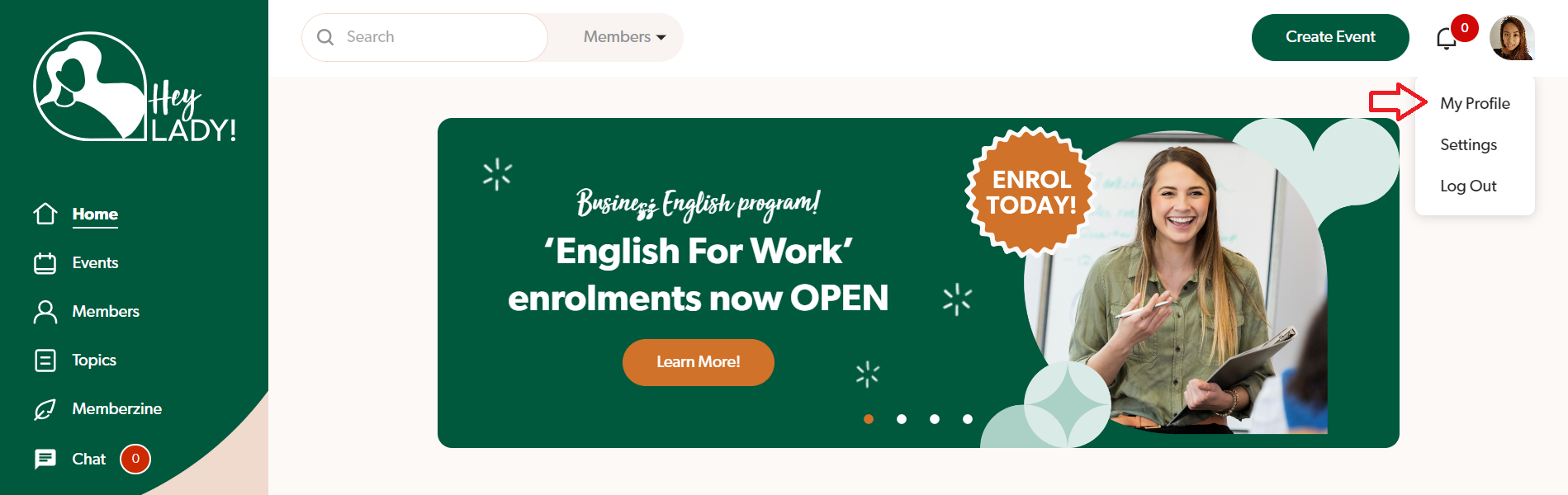
- Go to your profile photo on the top right corner and click My Profile.
- Click the pencil icon next to the sections you want to update.
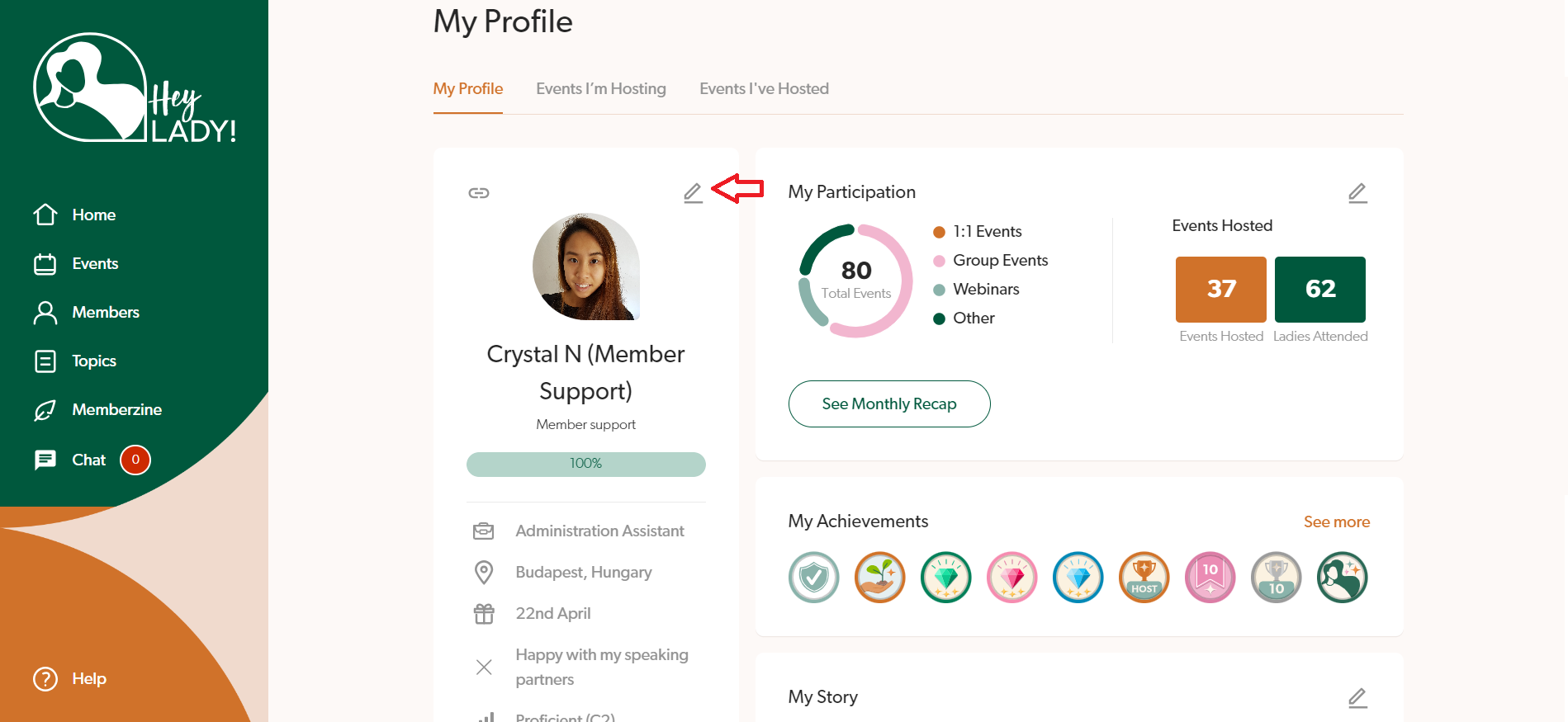
If you want to update your display name, birthday, city, occupation, interests, speaking partner availability, English skills you want to improve or English level, click the pencil icon next to your profile photo.
If you want to update your story or blurb about you, click the pencil icon next to My Story.
If you want to update your available times to practise speaking English, click the pencil icon next to My Availability.
If you want to update details about your nationality and languages spoken, click the pencil icon next to My Background.
- Make your changes and click Save changes when done!
Updated on: 18/06/2026
Thank you!