
I can't add my location to my profile!
The instructions below will walk you through how to add your location when first setting up your profile:
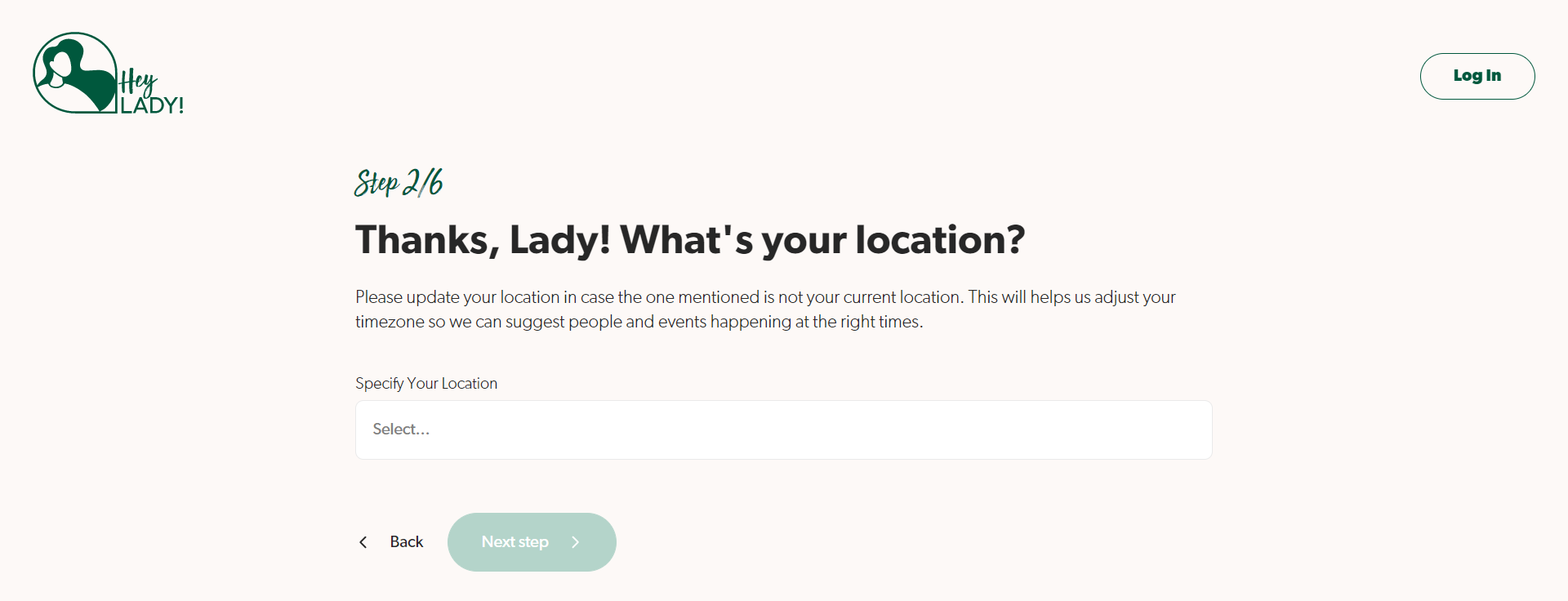
- On this onboarding page (Step 2/6), type your city first.
Note: Please make sure your keyboard is in English.
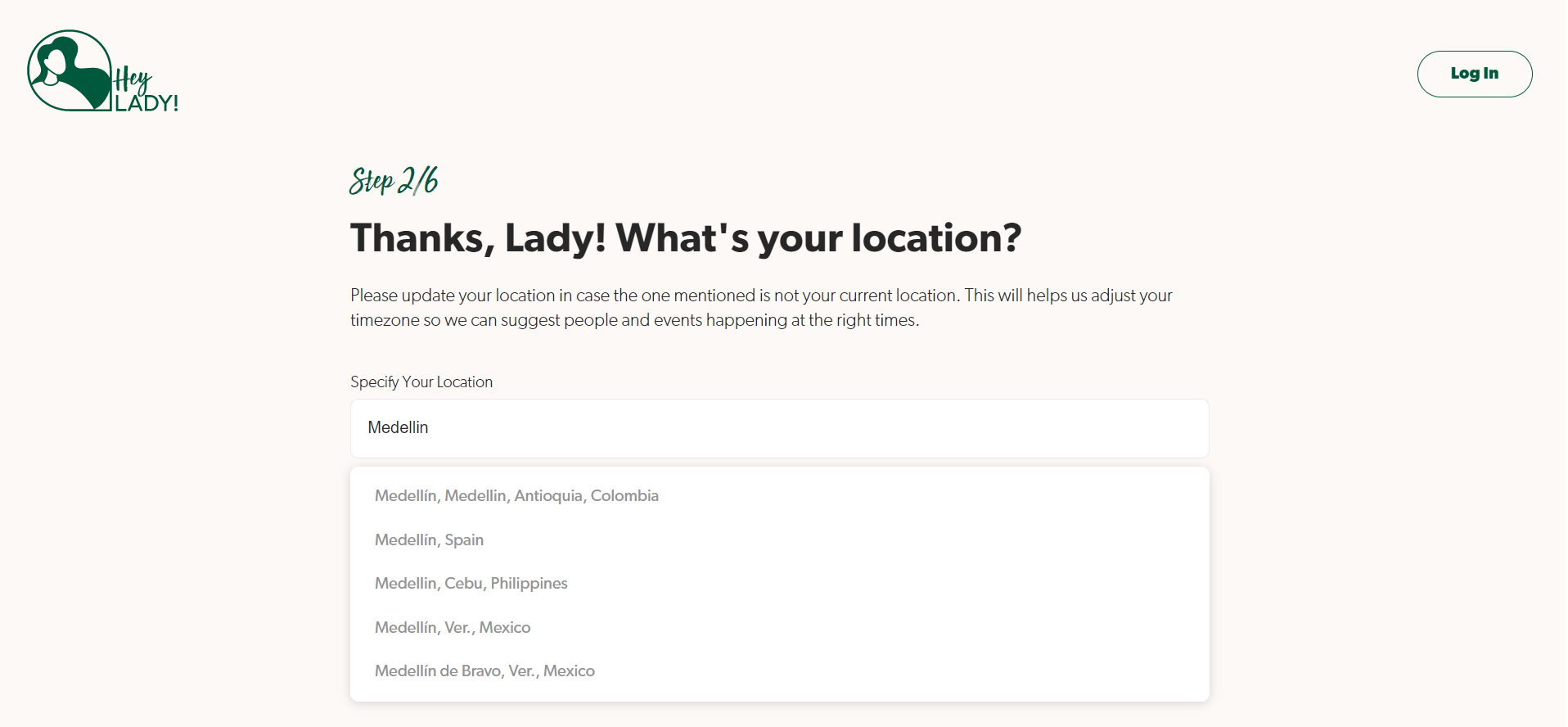
- A dropdown of city options should appear below. Find and select your city and country. If you still cannot find your city, type your country as well to be more specific.
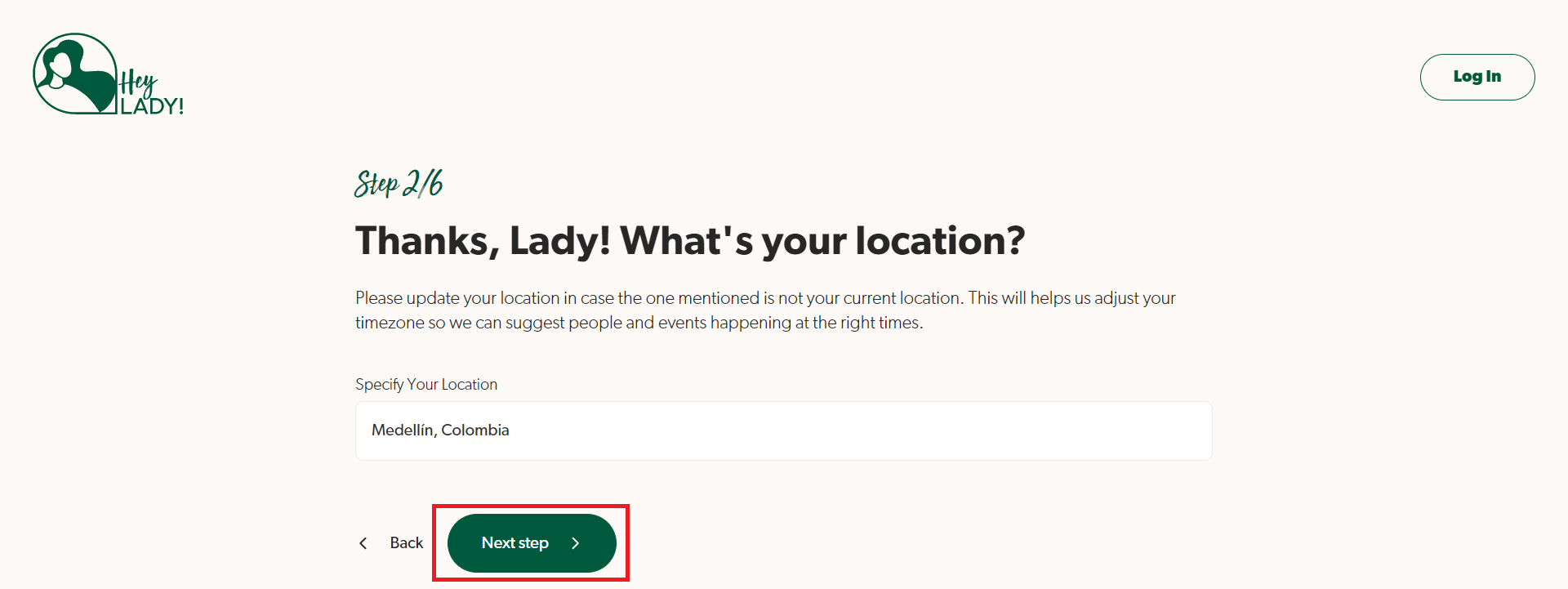
- After you've selected your location correctly, the Next step button should turn a dark green and let you proceed to the next step!
Updated on: 14/08/2026
Thank you!